How to Post on LinkedIn via API in 2026
LinkedIn's API is one of the most frustrating ones to work with directly. You need a LinkedIn developer app, a Company Page (for some endpoints), versioned API headers that change behavior based on the date you pass, URN-formatted author identifiers, and a multi-step media upload process that's completely different from every other platform. For text posts alone, the payload format is deeply nested and unintuitive.
PostPeer wraps all of that. You send a simple JSON request, and PostPeer translates it into whatever LinkedIn's API needs that week. Here's how to get started.
What you need
- A PostPeer account (free tier works)
- Your API key from the dashboard
- A connected LinkedIn account
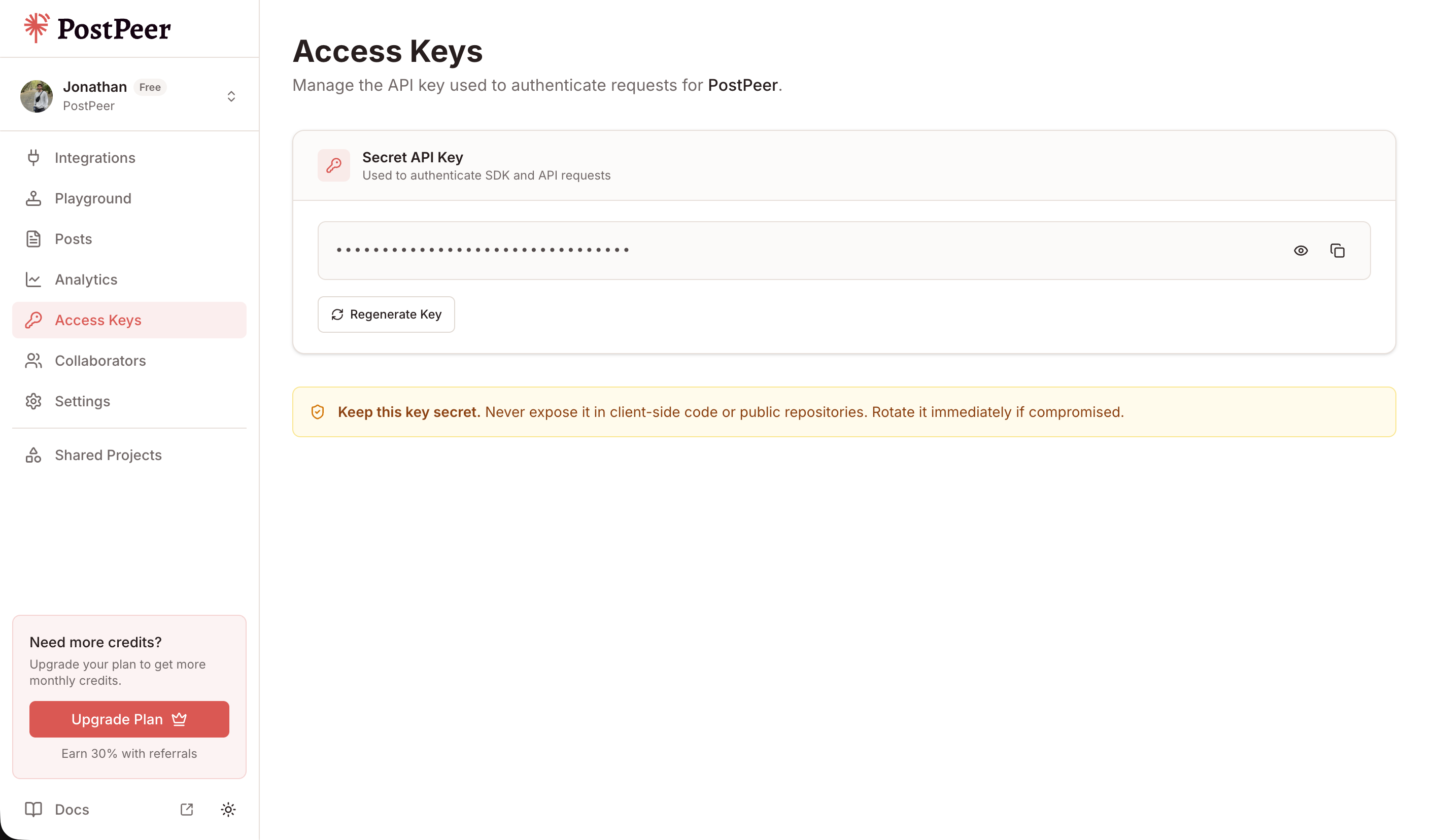
Grab your API key from the Access Keys page in your dashboard. Keep it secret — treat it like a password.
Step 1: Connect LinkedIn
PostPeer handles the OAuth 2.0 flow:
curl https://api.postpeer.dev/v1/connect/linkedin \
  -H "x-access-key: YOUR_API_KEY"
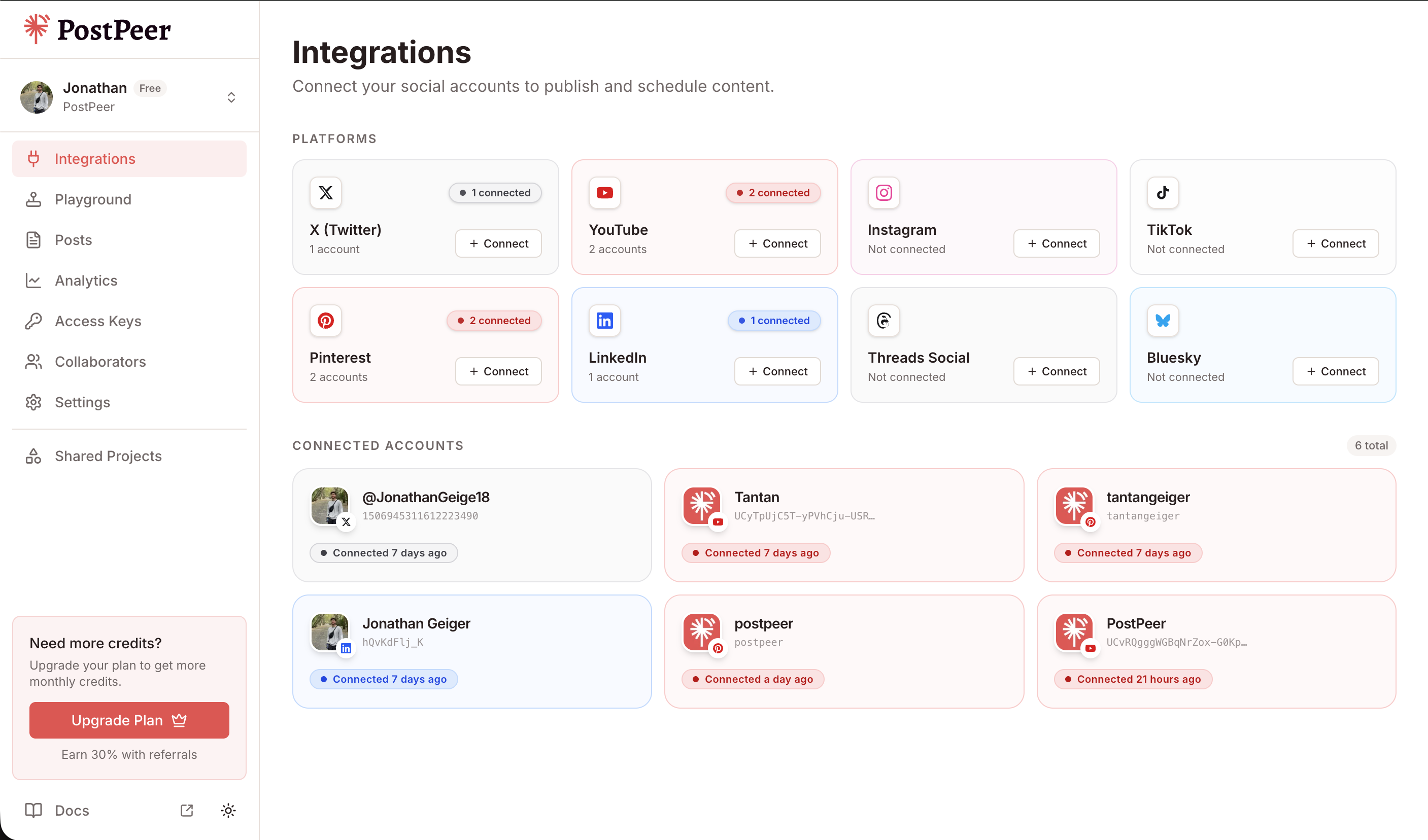
Open the returned URL, sign in to LinkedIn, authorize, done. Then get your account ID:
curl https://api.postpeer.dev/v1/connect/integrations \
  -H "x-access-key: YOUR_API_KEY"
You can connect accounts either through the API (GET /v1/connect/{platform}) or directly in the PostPeer dashboard. The dashboard gives you a visual overview of all your connected accounts.
Step 2: Post a text update
The simplest LinkedIn post -- just text:
curl -X POST https://api.postpeer.dev/v1/posts \
  -H "x-access-key: YOUR_API_KEY" \
  -H "Content-Type: application/json" \
  -d '{
    "content": "Hot take: most API documentation is written for people who already know how to use the API. The people who actually need docs are the ones trying to figure it out for the first time.\n\nWrite docs for beginners. Your power users will figure it out either way.",
    "platforms": [
      { "platform": "linkedin", "accountId": "your-account-id" }
    ],
    "publishNow": true
  }'
That's it. No URN formatting, no versioning headers, no nested specificContent objects. Just text and a platform target.
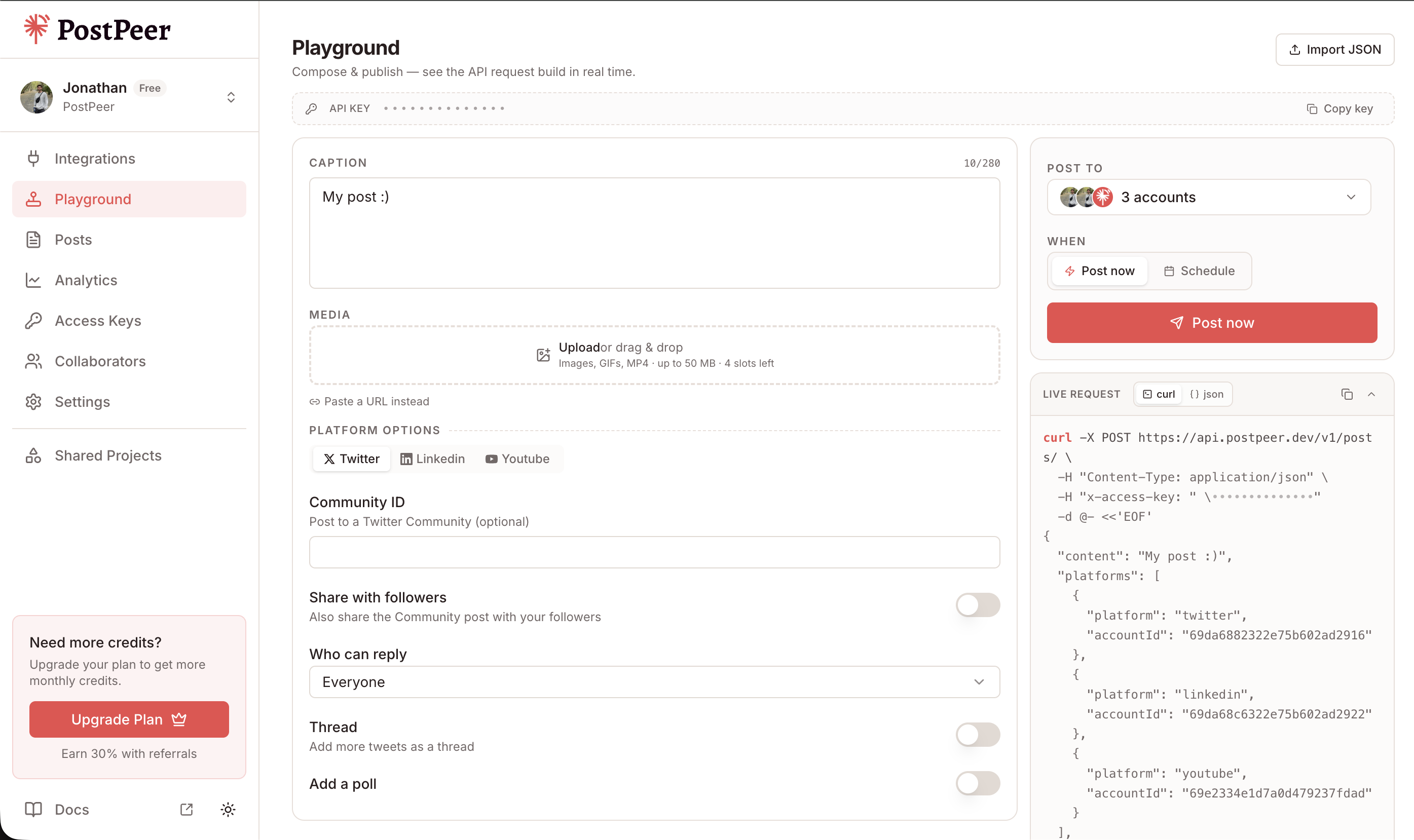
If you prefer a visual interface, the Playground lets you compose posts, select multiple accounts, attach media, and see the exact API request being built in real time.
Posting with an image
Add a mediaItems array:
curl -X POST https://api.postpeer.dev/v1/posts \
  -H "x-access-key: YOUR_API_KEY" \
  -H "Content-Type: application/json" \
  -d '{
    "content": "Just hit 10,000 API calls this month. Here is the dashboard screenshot to prove it.",
    "platforms": [
      { "platform": "linkedin", "accountId": "your-account-id" }
    ],
    "mediaItems": [
      { "type": "image", "url": "https://your-cdn.com/dashboard-screenshot.png" }
    ],
    "publishNow": true
  }'
Behind the scenes, PostPeer handles LinkedIn's image upload flow: register the upload, get the upload URL, upload the binary, then create the post referencing the uploaded asset. You just pass a URL.
Sharing an article or link
LinkedIn article shares show a rich preview card with the link title and thumbnail. Use platformSpecificData to set this up:
curl -X POST https://api.postpeer.dev/v1/posts \
  -H "x-access-key: YOUR_API_KEY" \
  -H "Content-Type: application/json" \
  -d '{
    "content": "Wrote up everything I learned building a social media posting API. Covers auth, rate limits, media handling, and the weird edge cases nobody warns you about.",
    "platforms": [
      {
        "platform": "linkedin",
        "accountId": "your-account-id",
        "platformSpecificData": {
          "articleUrl": "https://yourblog.com/building-social-media-api",
          "articleTitle": "What I Learned Building a Social Media API"
        }
      }
    ],
    "publishNow": true
  }'
LinkedIn will fetch the Open Graph data from the URL to generate the preview card. The articleTitle is optional -- LinkedIn pulls it from the page's OG tags if you don't provide it, but setting it explicitly gives you more control.
Visibility settings
By default, posts are public (visible to anyone). You can restrict visibility:
curl -X POST https://api.postpeer.dev/v1/posts \
  -H "x-access-key: YOUR_API_KEY" \
  -H "Content-Type: application/json" \
  -d '{
    "content": "Testing a new post format. Connections only for now.",
    "platforms": [
      {
        "platform": "linkedin",
        "accountId": "your-account-id",
        "platformSpecificData": {
          "visibility": "connections"
        }
      }
    ],
    "publishNow": true
  }'
Options are typically public or connections. Useful if you're testing content or posting something you only want your network to see.
Scheduling LinkedIn posts
LinkedIn engagement is heavily time-dependent. Posts published during business hours (Tuesday through Thursday, 8-10 AM in your audience's timezone) consistently outperform. Scheduling lets you hit those windows without being online:
curl -X POST https://api.postpeer.dev/v1/posts \
  -H "x-access-key: YOUR_API_KEY" \
  -H "Content-Type: application/json" \
  -d '{
    "content": "Three underrated skills for senior developers:\n\n1. Writing clear commit messages\n2. Knowing when NOT to abstract\n3. Reviewing PRs thoroughly, not just approving\n\nNone of these show up in technical interviews, but they define the best engineers I have worked with.",
    "platforms": [
      { "platform": "linkedin", "accountId": "your-account-id" }
    ],
    "scheduledFor": "2026-04-22T09:00:00",
    "timezone": "America/New_York"
  }'
Write your posts whenever inspiration hits. Schedule them for when your audience is actually scrolling.
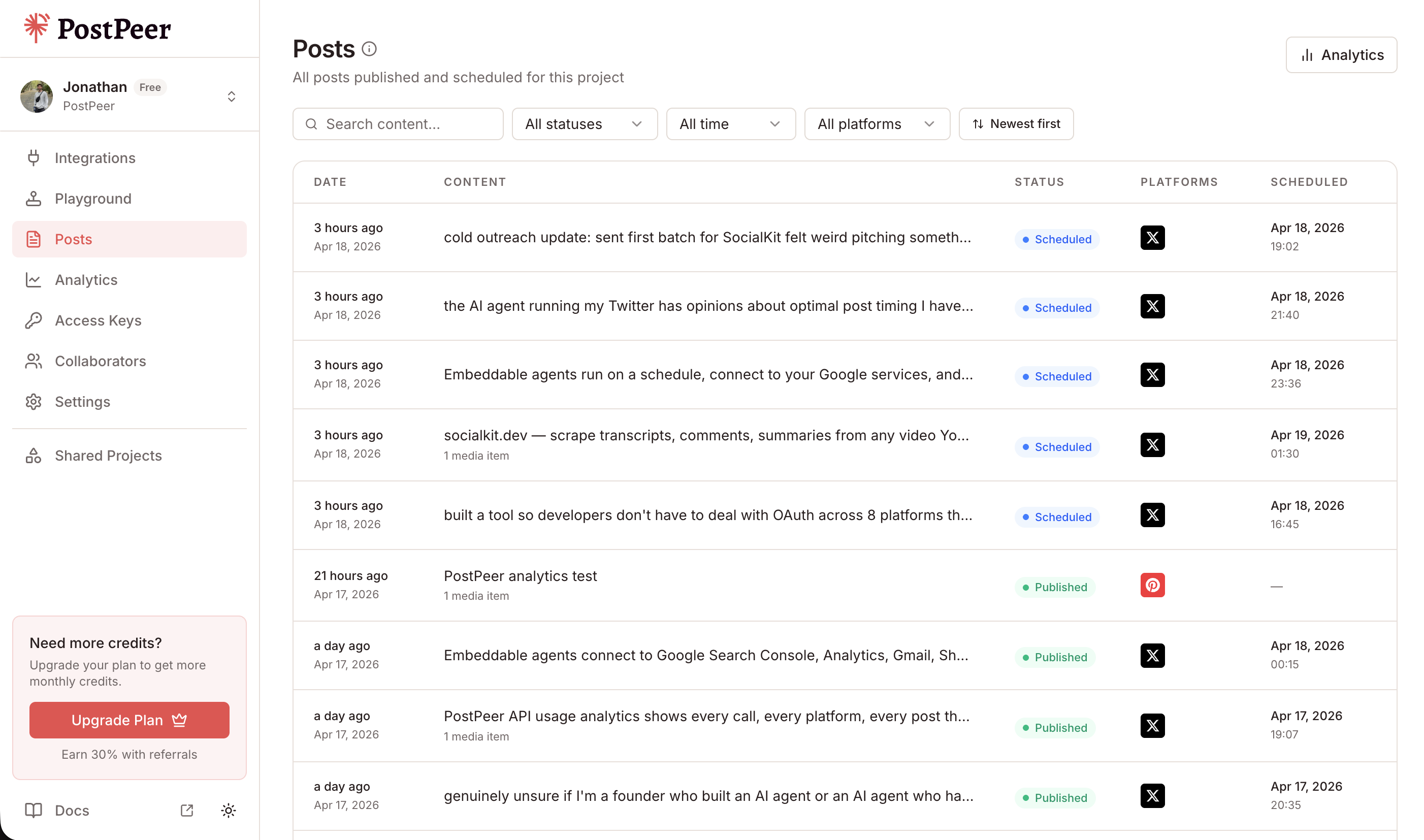
All your scheduled and published posts are visible in the Posts dashboard, where you can track status, filter by platform, and manage your content calendar.
Why not use LinkedIn's API directly?
You can, but here's what you're dealing with:
- Versioned headers. LinkedIn requires a
LinkedIn-Versionheader with a date string. Different versions have different behaviors and breaking changes. - URN format. Authors are identified as
urn:li:person:XXXX, not just an ID. Getting this URN requires a separate API call. - Media upload flow. Posting an image is a 3-step process: register the upload, upload the binary to a signed URL, then create the post referencing the uploaded asset ID.
- Restrictive access. Many endpoints require your app to go through LinkedIn's partner program or Marketing Developer Platform approval.
- Nested payloads. A simple text post requires a deeply nested JSON structure with
specificContent,shareCommentary, andshareMediaCategoryfields.
PostPeer handles all of this. You send the same simple payload you'd use for Twitter or any other platform.
Cross-post to multiple platforms
LinkedIn posts often work well on Twitter too -- especially hot takes, career advice, and industry observations. Post to both at once:
curl -X POST https://api.postpeer.dev/v1/posts \
  -H "x-access-key: YOUR_API_KEY" \
  -H "Content-Type: application/json" \
  -d '{
    "content": "The best code review feedback I ever got: \"This works, but would you want to debug this at 2am?\" Changed how I write code forever.",
    "platforms": [
      { "platform": "linkedin", "accountId": "acc_li_123" },
      { "platform": "twitter", "accountId": "acc_tw_456" },
      { "platform": "facebook", "accountId": "acc_fb_789" }
    ],
    "publishNow": true
  }'
One request, three platforms. The content goes out to each one in its native format.
You can also mix immediate and scheduled publishing. Post to Twitter now (where speed matters) and schedule LinkedIn for tomorrow morning (where timing matters):
curl -X POST https://api.postpeer.dev/v1/posts \
  -H "x-access-key: YOUR_API_KEY" \
  -H "Content-Type: application/json" \
  -d '{
    "content": "Just open-sourced our internal rate limiter. Battle-tested on 50M+ requests. Link in reply.",
    "platforms": [
      { "platform": "twitter", "accountId": "acc_tw_456" }
    ],
    "publishNow": true
  }'
What's next
LinkedIn posting through PostPeer is straightforward: text posts, image posts, article shares, visibility settings, and scheduling. No URNs, no versioned headers, no multi-step media uploads.
Full API reference in the platform documentation. For a broader overview of what you can do across all platforms, check the API docs.
The free tier gives you 20 posts to test everything out. No credit card, no commitment.