How to Post on Bluesky With an API in 2026 (Step-by-Step)
Bluesky's native API is the AT Protocol, and the AT Protocol is great if you're a federated-network nerd. If you just want to post text and an image to your account from a script, it's a lot.
PostPeer gives you a single endpoint that handles Bluesky posts, app-password auth, alt text, language tags, and scheduling. No AT Protocol clients to install. No DID resolution. No PDS endpoint juggling. Here's how to set it up.
What you need
- A PostPeer account (the free tier works)
- Your access key from the dashboard
- A Bluesky app password (we'll generate this in a second)
Step 1: Get your API key
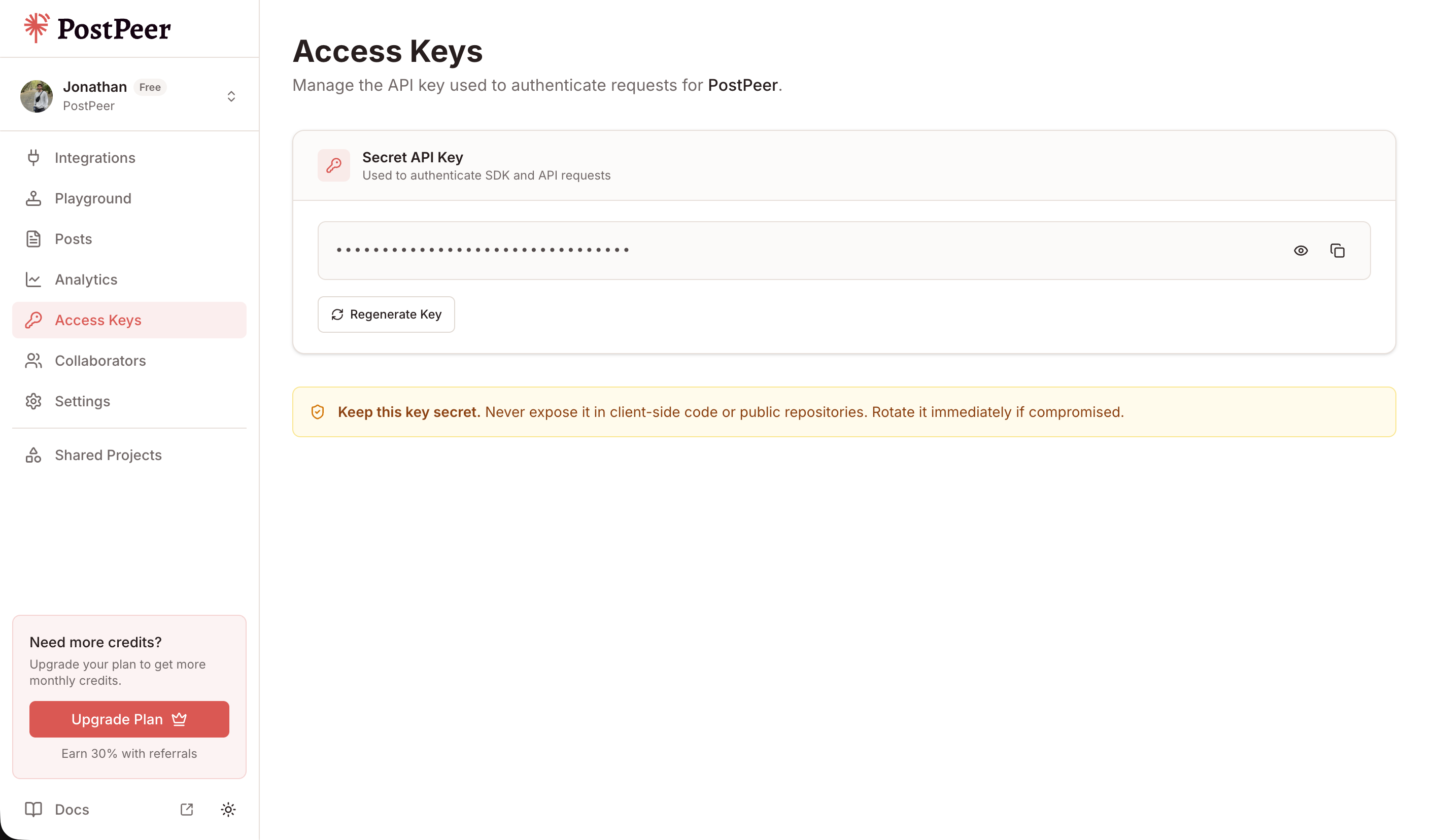
Sign up at PostPeer, head to the dashboard, and grab your access key from the Access Keys page. Every request uses the x-access-key header:
-H "x-access-key: YOUR_API_KEY"Grab your API key from the Access Keys page in your dashboard. Treat it like a password.
Step 2: Generate a Bluesky app password
Bluesky doesn't support OAuth for third-party posting (yet). The official way to authenticate a tool like PostPeer is via an app password, a scoped credential you generate from your Bluesky settings.
- Open Bluesky in a browser
- Go to Settings, then Privacy and Security, then App Passwords
- Click "Add App Password"
- Name it something like "PostPeer"
- Copy the generated password (it looks like
xxxx-xxxx-xxxx-xxxx)
App passwords can post on your behalf but cannot change your account password or delete your account. You can revoke them any time from the same page.
Step 3: Connect your Bluesky account
Bluesky doesn't redirect to PostPeer like an OAuth flow would, so you submit your handle and the app password to a single endpoint:
curl -X POST https://api.postpeer.dev/v1/connect/bluesky/credentials \
  -H "x-access-key: YOUR_API_KEY" \
  -H "Content-Type: application/json" \
  -d '{
    "identifier": "alice.bsky.social",
    "password": "xxxx-xxxx-xxxx-xxxx"
  }'
identifier accepts either your handle (alice.bsky.social) or your DID (did:plc:abc123). The password is the app password you just generated, NOT your real account password.
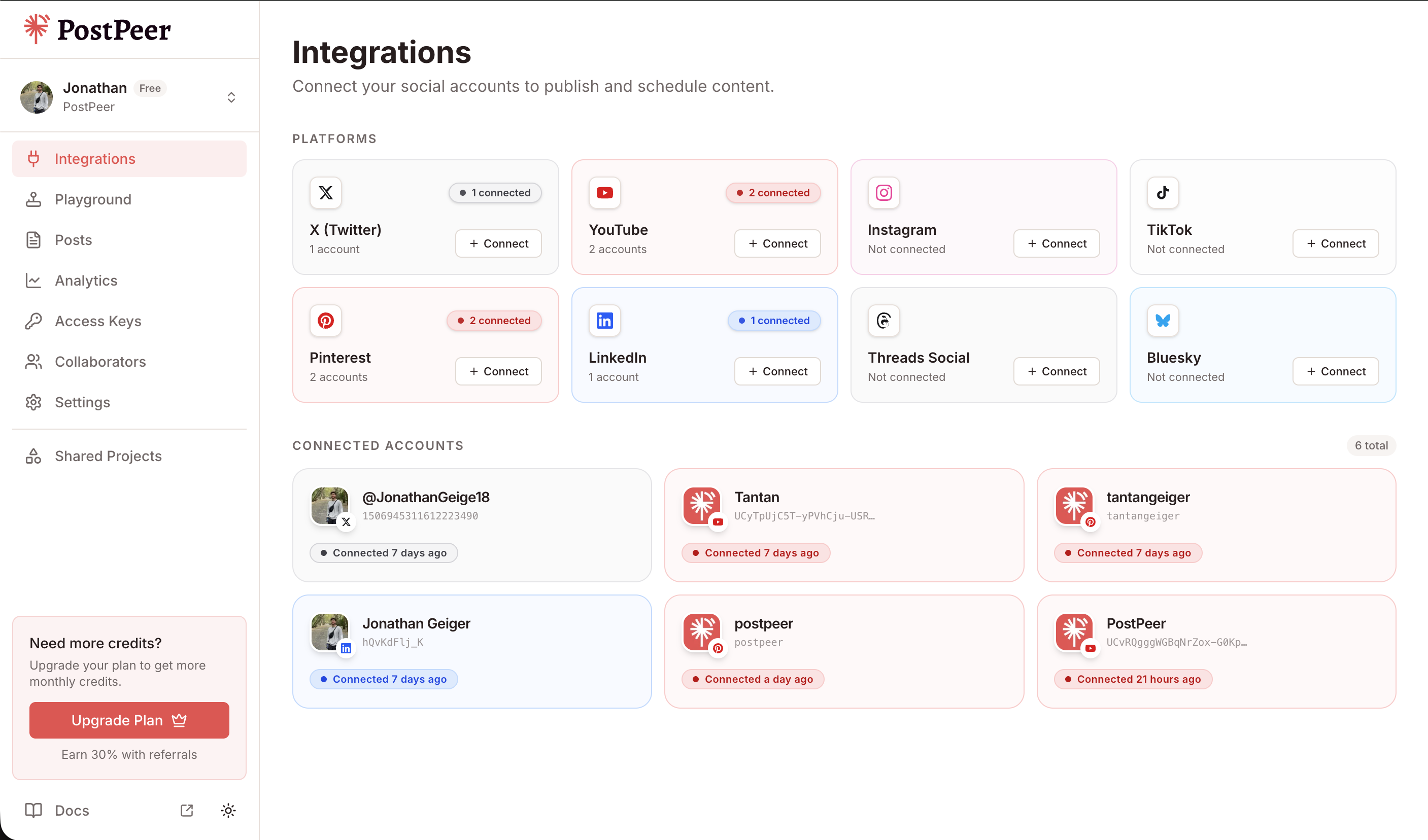
PostPeer encrypts the credential at rest and only decrypts it in memory when calling Bluesky. The response includes an integration.id you'll use as your accountId for posting.
You can also do this from the PostPeer dashboard if you'd rather click a button.
Step 4: Post to Bluesky
Same /v1/posts/ endpoint as every other platform. Send the content and the platform target:
curl -X POST https://api.postpeer.dev/v1/posts \
  -H "x-access-key: YOUR_API_KEY" \
  -H "Content-Type: application/json" \
  -d '{
    "content": "First post via the PostPeer API. The AT Protocol just works.",
    "platforms": [
      { "platform": "bluesky", "accountId": "your-account-id" }
    ],
    "publishNow": true
  }'
That's it. The post lands on your Bluesky profile.
Bluesky caps posts at 300 characters. PostPeer enforces this and returns a clean error if you go over.
Adding an image with alt text
Bluesky users genuinely care about image alt text. PostPeer accepts an altText array in platformSpecificData that lines up positionally with your mediaItems:
curl -X POST https://api.postpeer.dev/v1/posts \
  -H "x-access-key: YOUR_API_KEY" \
  -H "Content-Type: application/json" \
  -d '{
    "content": "Sunset over the Pacific. New blog post linked in bio.",
    "mediaItems": [
      { "type": "image", "url": "https://your-cdn.com/sunset.jpg" }
    ],
    "platforms": [
      {
        "platform": "bluesky",
        "accountId": "your-account-id",
        "platformSpecificData": {
          "altText": ["Orange-pink sunset over the Pacific Ocean with silhouetted cliffs"]
        }
      }
    ],
    "publishNow": true
  }'
If you have multiple images, the alt-text array maps to them in order.
Setting the language
Bluesky uses BCP-47 language tags so feeds can filter by language. Set langs in platformSpecificData:
curl -X POST https://api.postpeer.dev/v1/posts \
  -H "x-access-key: YOUR_API_KEY" \
  -H "Content-Type: application/json" \
  -d '{
    "content": "Hola Bluesky. Buenos días desde San Francisco.",
    "platforms": [
      {
        "platform": "bluesky",
        "accountId": "your-account-id",
        "platformSpecificData": {
          "langs": ["es", "en"]
        }
      }
    ],
    "publishNow": true
  }'
You can pass multiple language tags if the post is bilingual.
Scheduling a Bluesky post
Swap publishNow for scheduledFor plus a timezone. PostPeer queues the post and delivers it at exactly that moment:
curl -X POST https://api.postpeer.dev/v1/posts \
  -H "x-access-key: YOUR_API_KEY" \
  -H "Content-Type: application/json" \
  -d '{
    "content": "This Bluesky post was scheduled from a cron job.",
    "platforms": [
      { "platform": "bluesky", "accountId": "your-account-id" }
    ],
    "scheduledFor": "2026-05-01T14:00:00",
    "timezone": "America/New_York"
  }'
All scheduled and published posts show up in the Posts dashboard where you can filter by status, platform, and date.
The free Bluesky post scheduler is the same flow with a UI on top. Useful for testing the API behavior with a real post before wiring it into your code.
Cross-post to Bluesky and other platforms
Bluesky uses the exact same call shape as every other platform PostPeer supports. Add more entries to the platforms array and the same content goes to all of them:
curl -X POST https://api.postpeer.dev/v1/posts \
  -H "x-access-key: YOUR_API_KEY" \
  -H "Content-Type: application/json" \
  -d '{
    "content": "Just shipped a new feature. Same post, every platform.",
    "platforms": [
      { "platform": "bluesky",  "accountId": "acc_bsky_123" },
      { "platform": "twitter",  "accountId": "acc_tw_456" },
      { "platform": "linkedin", "accountId": "acc_li_789" }
    ],
    "mediaItems": [
      { "type": "image", "url": "https://your-cdn.com/launch.png" }
    ],
    "publishNow": true
  }'
One request, three platforms. PostPeer adapts content and media to each platform's rules automatically (Bluesky's 300-char cap, Twitter's 280-char cap, LinkedIn's longer-form limit).
What's next
That covers the basics: posting text, attaching images with alt text, language tags, scheduling, and cross-posting. If you're building anything that needs Bluesky alongside the rest of social media, this is the fastest way there.
Full reference is on the Bluesky posting API page. Edge cases and advanced options are in the API docs.
If you're just getting started, the free tier includes 20 posts so you can test the whole flow without paying. Or try the free Bluesky post scheduler for a UI version of everything above.