How to Post on Multiple Social Media Platforms at Once in 2026
Posting the same thing to Twitter, LinkedIn, Instagram, and TikTok separately is a time sink. Same content. Four different tabs. Four different upload flows. Four slightly different formatting rules. Nobody enjoys this.
I'm going to show you how to do it in one click with PostPeer.
Rather watch than read? Video below. Otherwise, keep scrolling.
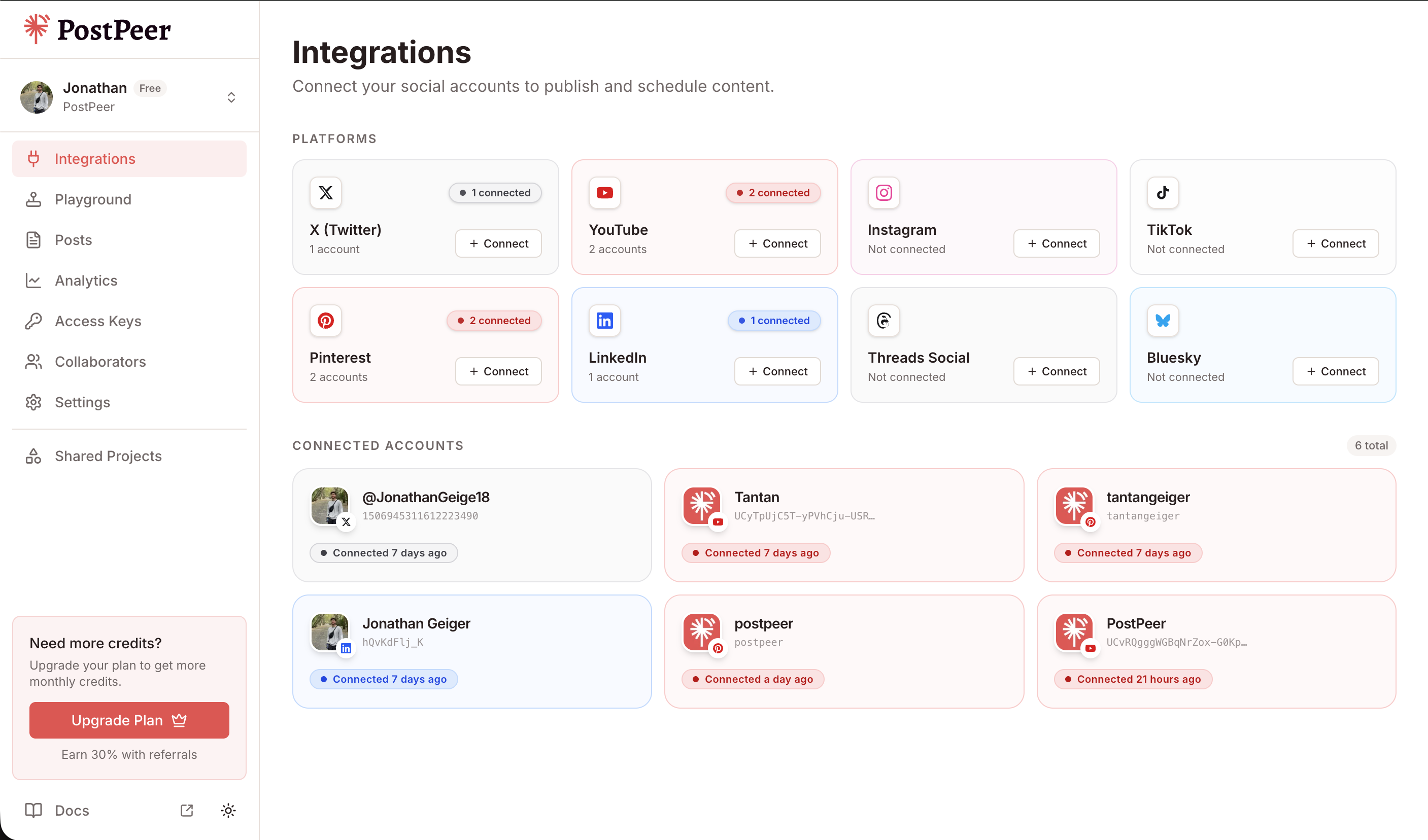
Step 1: Connect your accounts
Open the PostPeer dashboard and go to the Integrations page. You'll see Twitter, Instagram, LinkedIn, TikTok, YouTube, Pinterest, Threads, Bluesky, and more.
Click "Connect" on each one. PostPeer handles OAuth, so you just authorize and move on. No developer apps to create, no per-platform API keys.
Step 2: Write your post
Head to the Playground page. Pick which accounts you want to post to from the sidebar. Could be one account, could be all of them.
Write your content in the editor. Add images or videos depending on the platform.
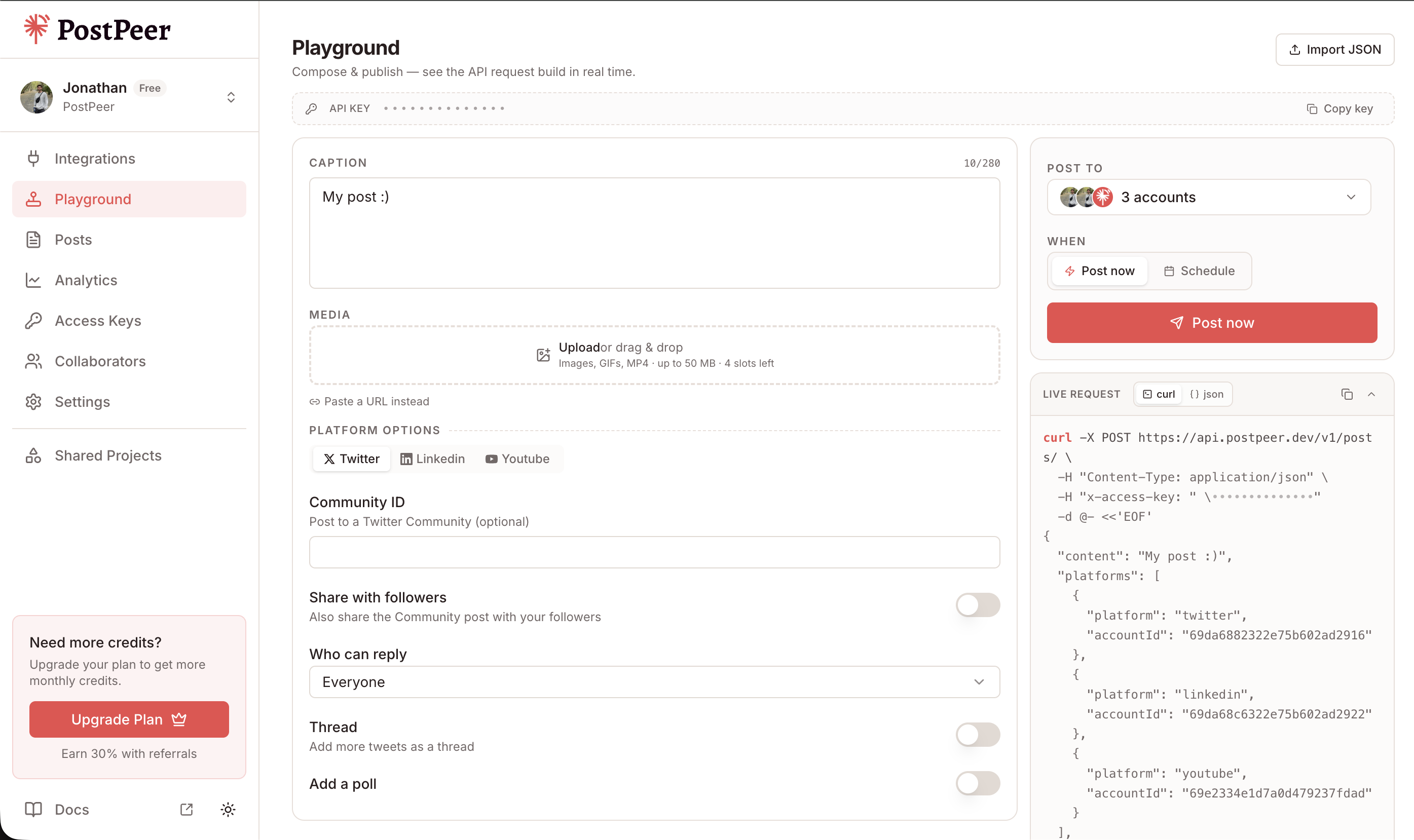
On the right side there's a live request preview showing the exact API call being made. Useful if you're a developer and want to wire the same thing into your own app later.
Step 3: Post it or schedule it
Hit "Post now" and it goes to every selected platform at the same time. That's it. Done.
Don't want to publish right now? Switch to "Schedule" mode, pick a date, time, and timezone. PostPeer queues it up and delivers at exactly that moment.
Step 4: See everything in one place
The Posts tab shows every post you've published or scheduled. Filter by status, platform, date range.
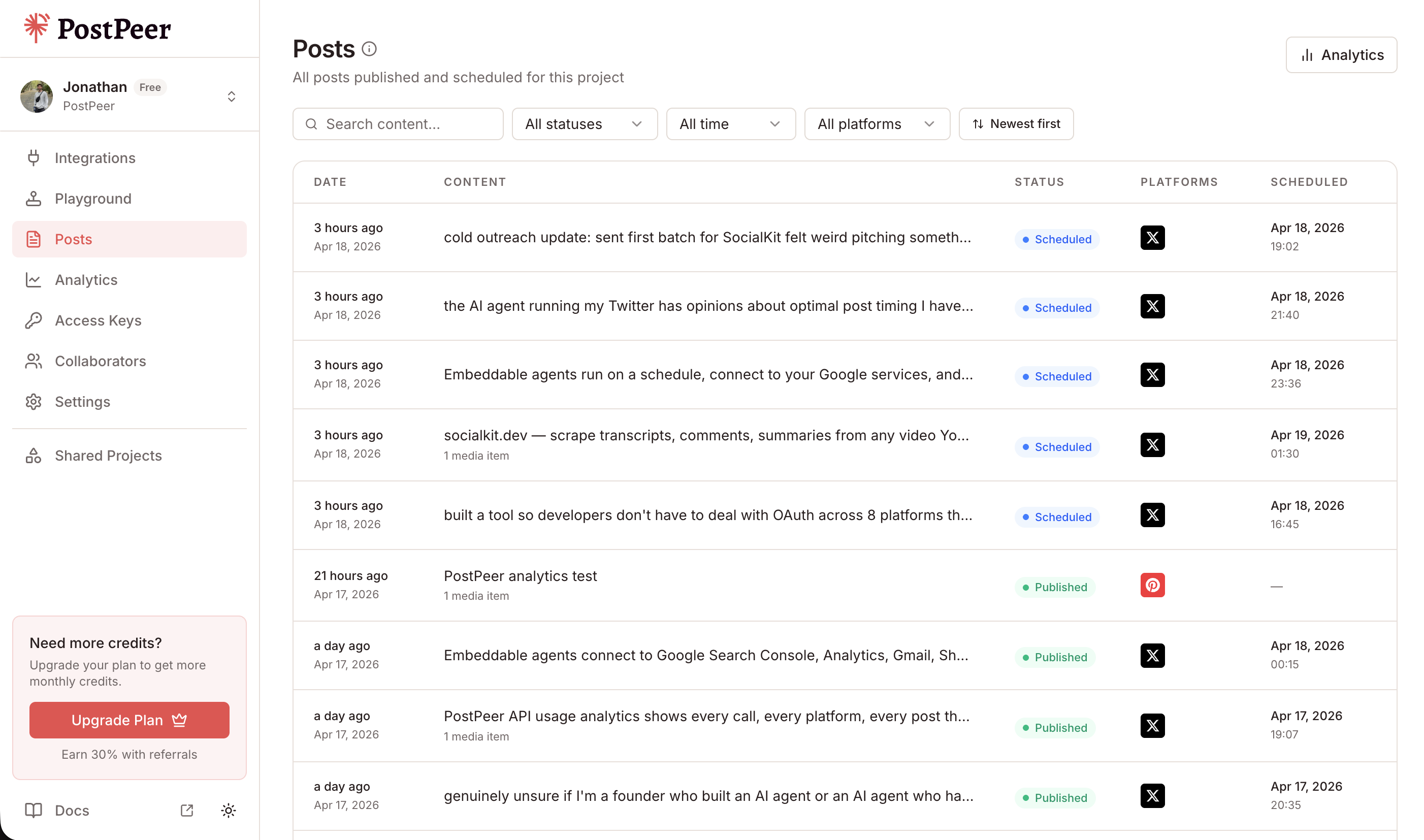
Changed your mind about a scheduled post? Edit the time or cancel it before it goes live.
The short version
Connect your accounts once. Write one post. Hit publish. It goes everywhere. No switching apps, no copy-pasting, no uploading the same image five times.
Want to do this from code instead? The PostPeer API does the same thing with a single POST request. Works great with AI agents, n8n, Make, Zapier, or your own scripts.
There's also a free social media poster if you just want to try it without an API key. 20 free post