How to Post on TikTok With an API in 2026 (Step-by-Step)
TikTok's official Content Posting API works, but it's a real lift. You sign up for a developer account, build the OAuth flow, kick off a multi-step upload (init, then poll status), and pass a separate Content Posting audit to publish public videos at all. Until you pass that audit, every direct post is forced to SELF_ONLY.
PostPeer gives you a single endpoint that handles all of that. OAuth is done for you. The multi-step upload is a one-call. Audit-aware fallback to draft (inbox) mode is built in. Here's how to set it up.
What you need
- A PostPeer account (free tier works)
- Your access key from the dashboard
- A TikTok account you control
Step 1: Get your API key
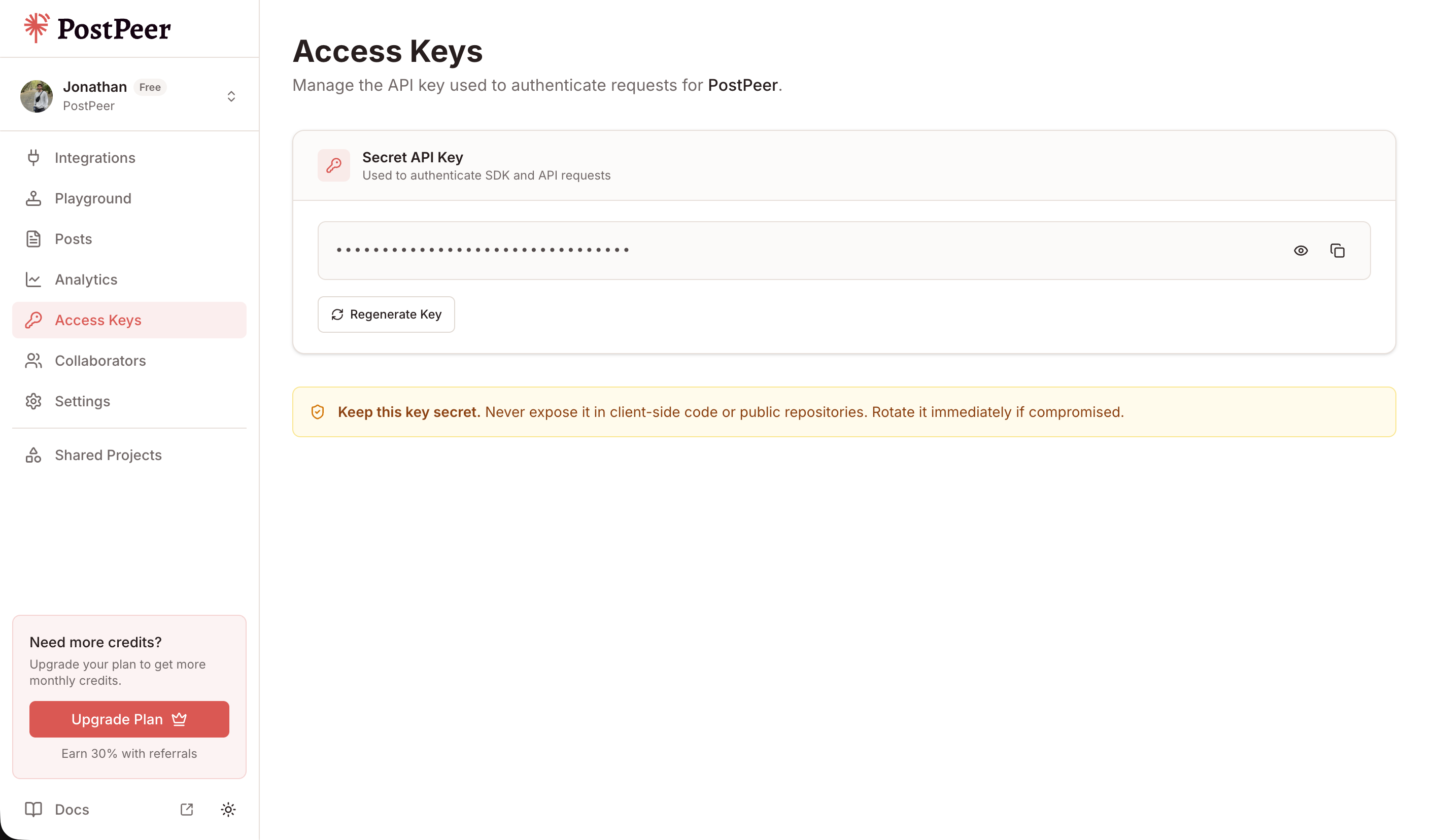
Sign up at PostPeer, head to the dashboard, and grab your access key from the Access Keys page. Every request uses the x-access-key header:
-H "x-access-key: YOUR_API_KEY"Grab your API key from the Access Keys page in your dashboard. Treat it like a password.
Step 2: Connect your TikTok account
PostPeer handles the OAuth flow. Hit the connect endpoint to get an authorization URL:
curl https://api.postpeer.dev/v1/connect/tiktok \
  -H "x-access-key: YOUR_API_KEY"
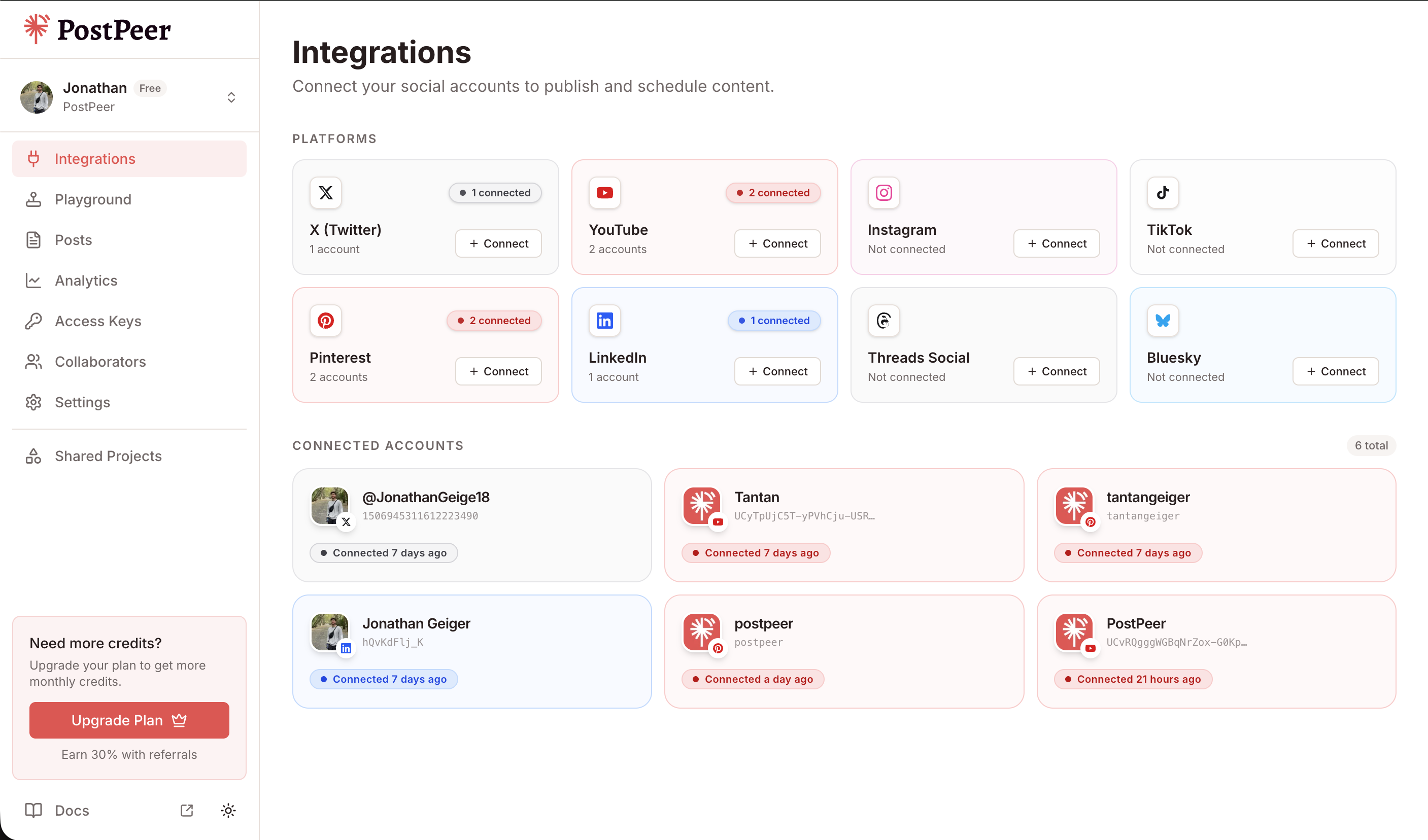
You'll get back a URL. Open it in a browser, authorize the app, and your TikTok account is linked. Grab your account ID from the integrations endpoint:
curl https://api.postpeer.dev/v1/connect/integrations \
  -H "x-access-key: YOUR_API_KEY"
The response includes an id for each connected account. That's your accountId for posting. You can also do this from the PostPeer dashboard if you'd rather click a button.
Step 3: Post a video to TikTok (draft mode)
If your PostPeer app hasn't passed TikTok's Content Posting audit yet, the safest path is draft mode. The video lands in the creator's TikTok inbox where they finalize and publish it inside the TikTok app. This works for any account, no audit needed.
curl -X POST https://api.postpeer.dev/v1/posts \
  -H "x-access-key: YOUR_API_KEY" \
  -H "Content-Type: application/json" \
  -d '{
    "content": "Quick tip: stop debugging by adding print statements. Use a real debugger. #devtips",
    "platforms": [
      {
        "platform": "tiktok",
        "accountId": "your-account-id",
        "platformSpecificData": {
          "draft": true
        }
      }
    ],
    "mediaItems": [
      { "type": "video", "url": "https://your-cdn.com/clip.mp4" }
    ],
    "publishNow": true
  }'
PostPeer pulls the video, uploads it to TikTok's inbox endpoint, and polls until TikTok confirms SEND_TO_USER_INBOX. The creator opens the TikTok app, finds the draft in their inbox, and posts it.
draft: true is the safe default. To publish directly without the inbox step, see Step 5.
Step 4: Set TikTok-specific options
TikTok exposes a bunch of post-level options through platformSpecificData. The full list:
curl -X POST https://api.postpeer.dev/v1/posts \
  -H "x-access-key: YOUR_API_KEY" \
  -H "Content-Type: application/json" \
  -d '{
    "content": "Behind the scenes: how we ship every Friday.",
    "platforms": [
      {
        "platform": "tiktok",
        "accountId": "your-account-id",
        "platformSpecificData": {
          "privacyLevel": "PUBLIC_TO_EVERYONE",
          "disableComment": false,
          "disableDuet": false,
          "disableStitch": false,
          "brandContentToggle": false,
          "brandOrganicToggle": false,
          "isAigc": false,
          "videoCoverTimestampMs": 2000,
          "draft": false
        }
      }
    ],
    "mediaItems": [
      { "type": "video", "url": "https://your-cdn.com/clip.mp4" }
    ],
    "publishNow": true
  }'
Field reference:
privacyLevel:PUBLIC_TO_EVERYONE,MUTUAL_FOLLOW_FRIENDS,FOLLOWER_OF_CREATOR, orSELF_ONLY. Unaudited apps MUST useSELF_ONLY.disableComment,disableDuet,disableStitch: boolean flags, defaultfalse(interactions allowed).brandOrganicToggle: settrueif the post promotes you or your business. TikTok labels it "Promotional content".brandContentToggle: settruefor paid partnerships with another brand. TikTok labels it "Paid partnership". This forces the post public, you can't use SELF_ONLY.isAigc: AI-generated content disclosure.videoCoverTimestampMs: cover frame in milliseconds (defaults to 1000ms).draft:truefor inbox upload,falsefor direct publish.
Step 5: Publish directly (no draft required)
After your app passes TikTok's Content Posting audit, set draft: false and the post goes live immediately:
curl -X POST https://api.postpeer.dev/v1/posts \
  -H "x-access-key: YOUR_API_KEY" \
  -H "Content-Type: application/json" \
  -d '{
    "content": "v2.0 is live. Six months of work.",
    "platforms": [
      {
        "platform": "tiktok",
        "accountId": "your-account-id",
        "platformSpecificData": {
          "privacyLevel": "PUBLIC_TO_EVERYONE",
          "draft": false
        }
      }
    ],
    "mediaItems": [
      { "type": "video", "url": "https://your-cdn.com/launch.mp4" }
    ],
    "publishNow": true
  }'
PostPeer handles the multi-step upload, polls the status endpoint until PUBLISH_COMPLETE, and returns the public TikTok video URL.
Posting a photo carousel
TikTok supports photo carousels (multiple images stitched into a swipeable post). Pass image media items instead of a video:
curl -X POST https://api.postpeer.dev/v1/posts \
  -H "x-access-key: YOUR_API_KEY" \
  -H "Content-Type: application/json" \
  -d '{
    "content": "Top 3 things I learned this month. Swipe →",
    "platforms": [
      {
        "platform": "tiktok",
        "accountId": "your-account-id",
        "platformSpecificData": {
          "privacyLevel": "PUBLIC_TO_EVERYONE",
          "autoAddMusic": true,
          "photoCoverIndex": 0,
          "draft": false
        }
      }
    ],
    "mediaItems": [
      { "type": "image", "url": "https://your-cdn.com/slide-1.jpg" },
      { "type": "image", "url": "https://your-cdn.com/slide-2.jpg" },
      { "type": "image", "url": "https://your-cdn.com/slide-3.jpg" }
    ],
    "publishNow": true
  }'
TikTok auto-adds background music to photo carousels by default. Set autoAddMusic: false to disable.
Scheduling a TikTok post
Replace publishNow with scheduledFor and timezone. The post sits in a queue and goes out at the right moment:
curl -X POST https://api.postpeer.dev/v1/posts \
  -H "x-access-key: YOUR_API_KEY" \
  -H "Content-Type: application/json" \
  -d '{
    "content": "Friday tutorial drop.",
    "platforms": [
      {
        "platform": "tiktok",
        "accountId": "your-account-id",
        "platformSpecificData": { "privacyLevel": "PUBLIC_TO_EVERYONE", "draft": false }
      }
    ],
    "mediaItems": [
      { "type": "video", "url": "https://your-cdn.com/tutorial.mp4" }
    ],
    "scheduledFor": "2026-05-01T14:00:00",
    "timezone": "America/New_York"
  }'
Scheduled and published posts show up in the Posts dashboard, where you can filter by status, platform, and date.
The free TikTok post scheduler is the same API behind a UI. Useful for testing the flow before wiring it into code.
Cross-post a vertical video to TikTok, Reels, and Shorts
The whole point of a multi-platform API. One vertical video, one request, three platforms:
curl -X POST https://api.postpeer.dev/v1/posts \
  -H "x-access-key: YOUR_API_KEY" \
  -H "Content-Type: application/json" \
  -d '{
    "content": "New tutorial out now!",
    "platforms": [
      {
        "platform": "tiktok",
        "accountId": "acc_tt_123",
        "platformSpecificData": { "privacyLevel": "PUBLIC_TO_EVERYONE", "draft": false }
      },
      {
        "platform": "youtube",
        "accountId": "acc_yt_456",
        "platformSpecificData": { "title": "New Tutorial", "visibility": "public" }
      },
      {
        "platform": "instagram",
        "accountId": "acc_ig_789"
      }
    ],
    "mediaItems": [
      { "type": "video", "url": "https://your-cdn.com/vertical.mp4" }
    ],
    "publishNow": true
  }'
PostPeer adapts the upload flow per platform. TikTok uses Content Posting init/poll. Shorts uses YouTube's resumable upload. Reels uses Instagram's Graph API container flow. From your side, it's one request.
What's next
That covers the basics: video posts, photo carousels, draft vs direct mode, all the privacy and interaction flags, scheduling, and cross-posting. If you're building anything that posts to TikTok at scale, this is the fastest way there.
Full reference is on the TikTok posting API page. Edge cases and advanced options are in the API docs.
If you're just getting started, the free tier includes 20 posts so you can test the whole flow without paying. Or play with the free TikTok post scheduler for a no-code version.