How to Post on Twitter/X With an API in 2026 (Step-by-Step)
Twitter's native API makes posting a tweet way harder than it should be. You need a developer account, OAuth 1.0a or 2.0 (depending on the endpoint), and you'll hit rate limits before you even get to the fun part. If you just want to post a tweet from your app or script, there's a faster way.
PostPeer gives you a single endpoint that handles tweets, threads, polls, media uploads, and scheduling. No Twitter developer app needed. Here's how to set it up.
Rather watch than read? Video's below. Otherwise, keep scrolling.
What you need
- A PostPeer account (free tier works)
- Your API key from the dashboard
- A connected Twitter/X account
Step 1: Get your API key
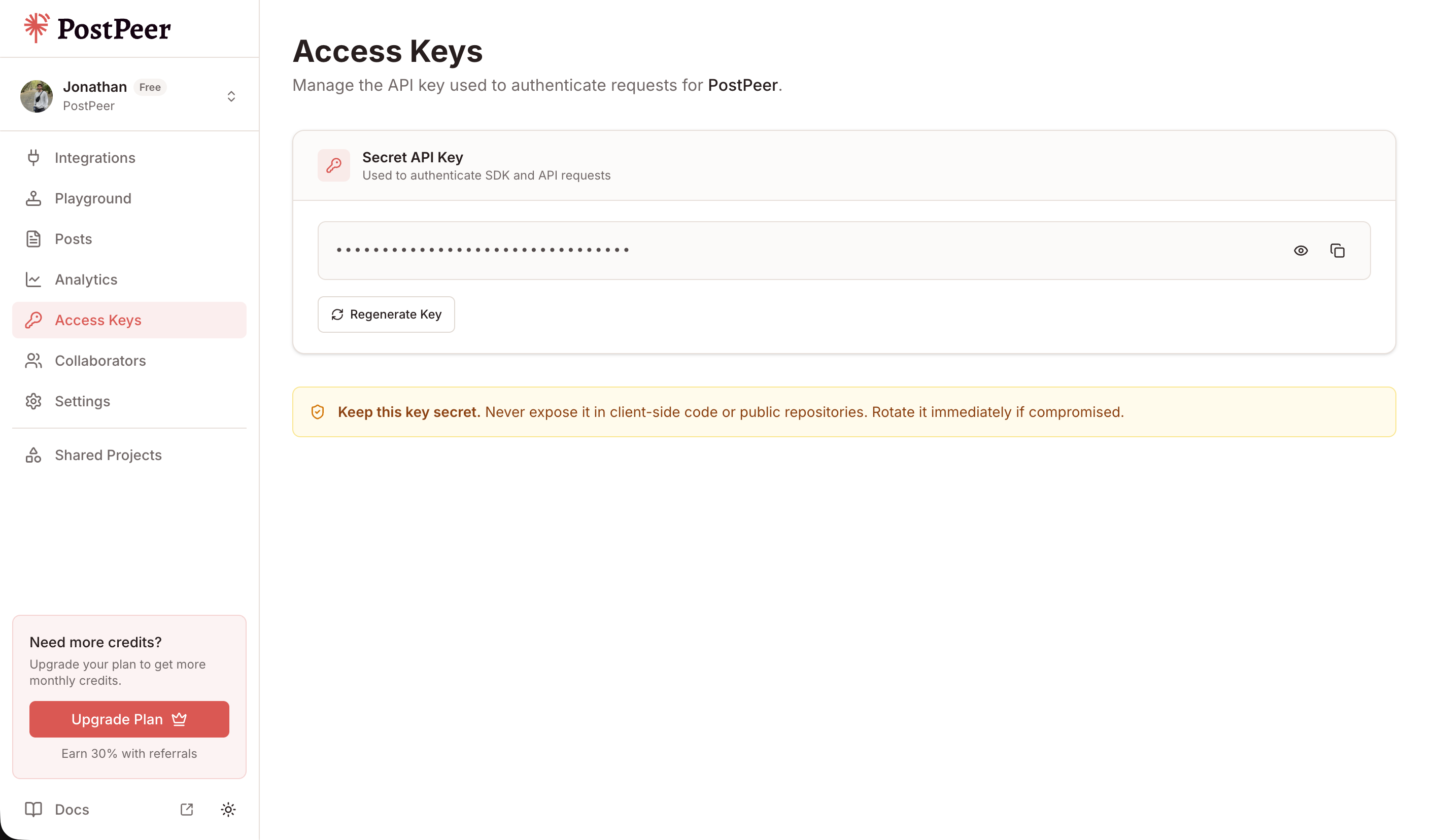
Sign up at PostPeer, head to the dashboard, and grab your access key from the Access Keys page. Every request uses the x-access-key header:
-H "x-access-key: YOUR_API_KEY"Grab your API key from the Access Keys page in your dashboard. Keep it secret — treat it like a password.
Step 2: Connect your Twitter account
PostPeer handles the OAuth flow for you. Hit the connect endpoint to get an authorization URL:
curl https://api.postpeer.dev/v1/connect/twitter \
  -H "x-access-key: YOUR_API_KEY"
You'll get back a URL. Open it in a browser, authorize the app, and your Twitter account is linked. Then grab your account ID:
curl https://api.postpeer.dev/v1/connect/integrations \
  -H "x-access-key: YOUR_API_KEY"
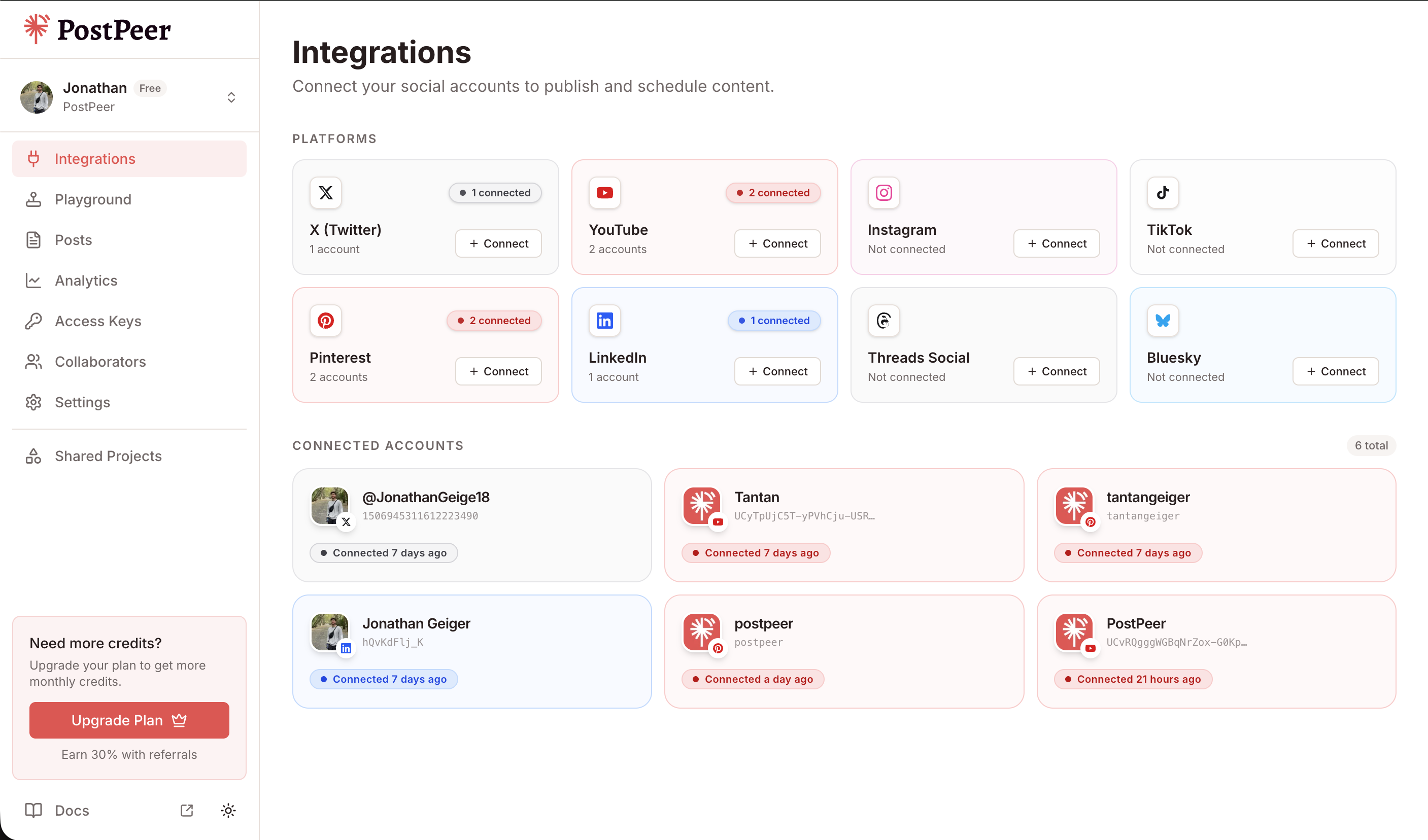
The response includes an id for each connected account. That's your accountId for posting.
You can connect accounts either through the API (GET /v1/connect/{platform}) or directly in the PostPeer dashboard. The dashboard gives you a visual overview of all your connected accounts.
Step 3: Post a tweet
Here's a basic text tweet:
curl -X POST https://api.postpeer.dev/v1/posts \
  -H "x-access-key: YOUR_API_KEY" \
  -H "Content-Type: application/json" \
  -d '{
    "content": "Shipping code on a Friday. What could go wrong?",
    "platforms": [
      { "platform": "twitter", "accountId": "your-account-id" }
    ],
    "publishNow": true
  }'
That's it. One request, tweet posted.
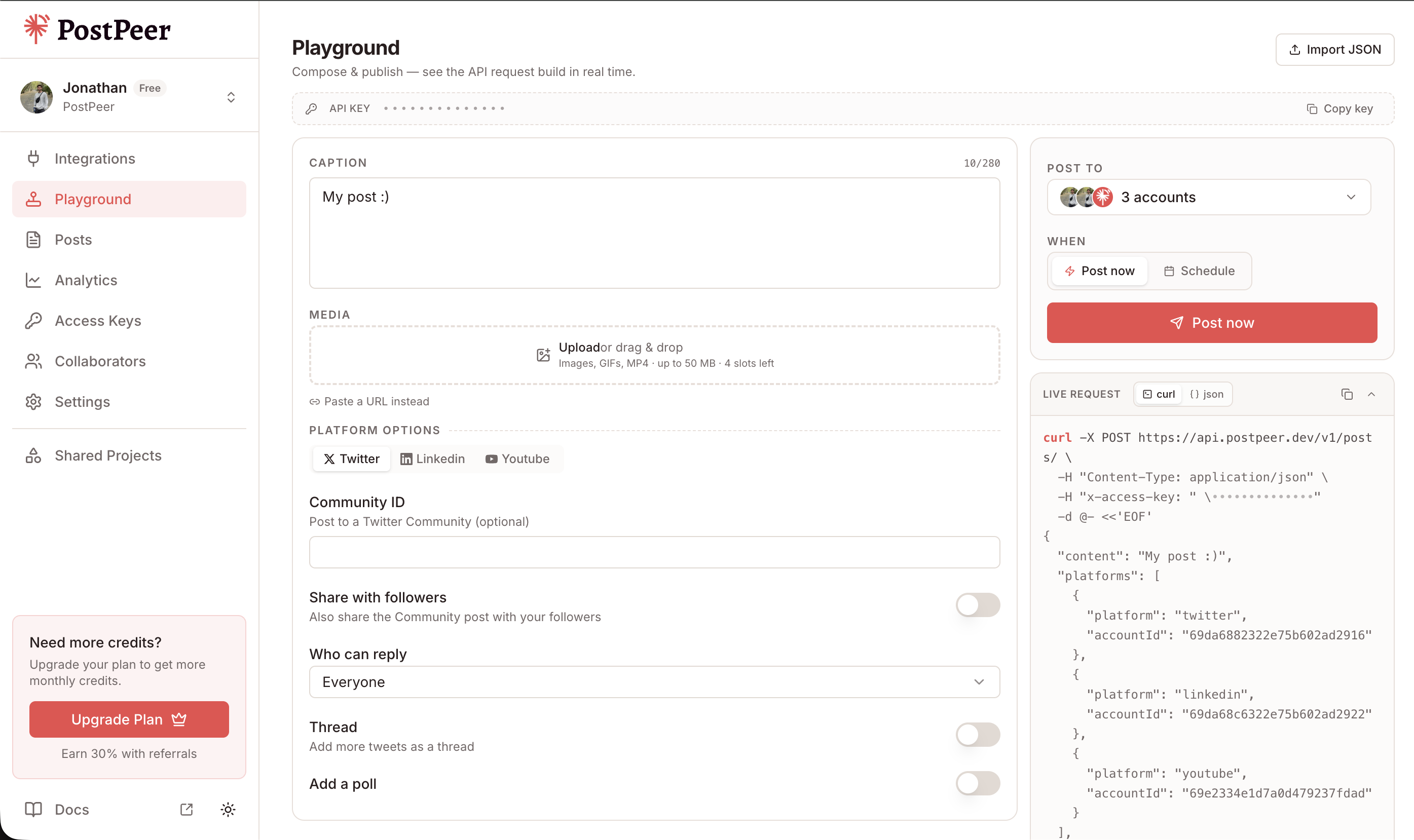
If you prefer a visual interface, the Playground lets you compose posts, select multiple accounts, attach media, and see the exact API request being built in real time.
Posting with media
Want to attach an image or video? Add a mediaItems array:
curl -X POST https://api.postpeer.dev/v1/posts \
  -H "x-access-key: YOUR_API_KEY" \
  -H "Content-Type: application/json" \
  -d '{
    "content": "New dashboard just dropped.",
    "platforms": [
      { "platform": "twitter", "accountId": "your-account-id" }
    ],
    "mediaItems": [
      { "type": "image", "url": "https://your-cdn.com/screenshot.png" }
    ],
    "publishNow": true
  }'
You can attach up to 4 images or 1 video per tweet, same as Twitter's native limits. Just pass the URL -- PostPeer handles the upload to Twitter's media endpoint.
Posting threads
Threads are just an array of content blocks. Each one becomes a tweet in the thread:
curl -X POST https://api.postpeer.dev/v1/posts \
  -H "x-access-key: YOUR_API_KEY" \
  -H "Content-Type: application/json" \
  -d '{
    "thread": [
      { "content": "Thread: 5 things I learned building a social media API" },
      { "content": "1. Every platform has different media upload requirements. Twitter wants you to upload media separately, then attach the media ID. Instagram needs a container. YouTube is its own world." },
      { "content": "2. Rate limits are unpredictable. Twitter says 200 tweets per 15 minutes, but you will get throttled way before that in practice." },
      { "content": "3. OAuth is the real boss fight." },
      { "content": "5 things was ambitious. Here are 3." }
    ],
    "platforms": [
      { "platform": "twitter", "accountId": "your-account-id" }
    ],
    "publishNow": true
  }'
Each item in the thread array gets posted as a reply to the previous tweet.
Posting polls
Polls work through platformSpecificData:
curl -X POST https://api.postpeer.dev/v1/posts \
  -H "x-access-key: YOUR_API_KEY" \
  -H "Content-Type: application/json" \
  -d '{
    "content": "Best day to deploy?",
    "platforms": [
      {
        "platform": "twitter",
        "accountId": "your-account-id",
        "platformSpecificData": {
          "poll": {
            "options": ["Monday", "Wednesday", "Friday", "Never"],
            "durationMinutes": 1440
          }
        }
      }
    ],
    "publishNow": true
  }'
Up to 4 options, duration in minutes (max 10080, which is 7 days).
Scheduling tweets
Instead of publishNow, pass a scheduledFor timestamp and timezone:
curl -X POST https://api.postpeer.dev/v1/posts \
  -H "x-access-key: YOUR_API_KEY" \
  -H "Content-Type: application/json" \
  -d '{
    "content": "This tweet was scheduled from a cron job.",
    "platforms": [
      { "platform": "twitter", "accountId": "your-account-id" }
    ],
    "scheduledFor": "2026-04-20T14:00:00",
    "timezone": "America/New_York"
  }'
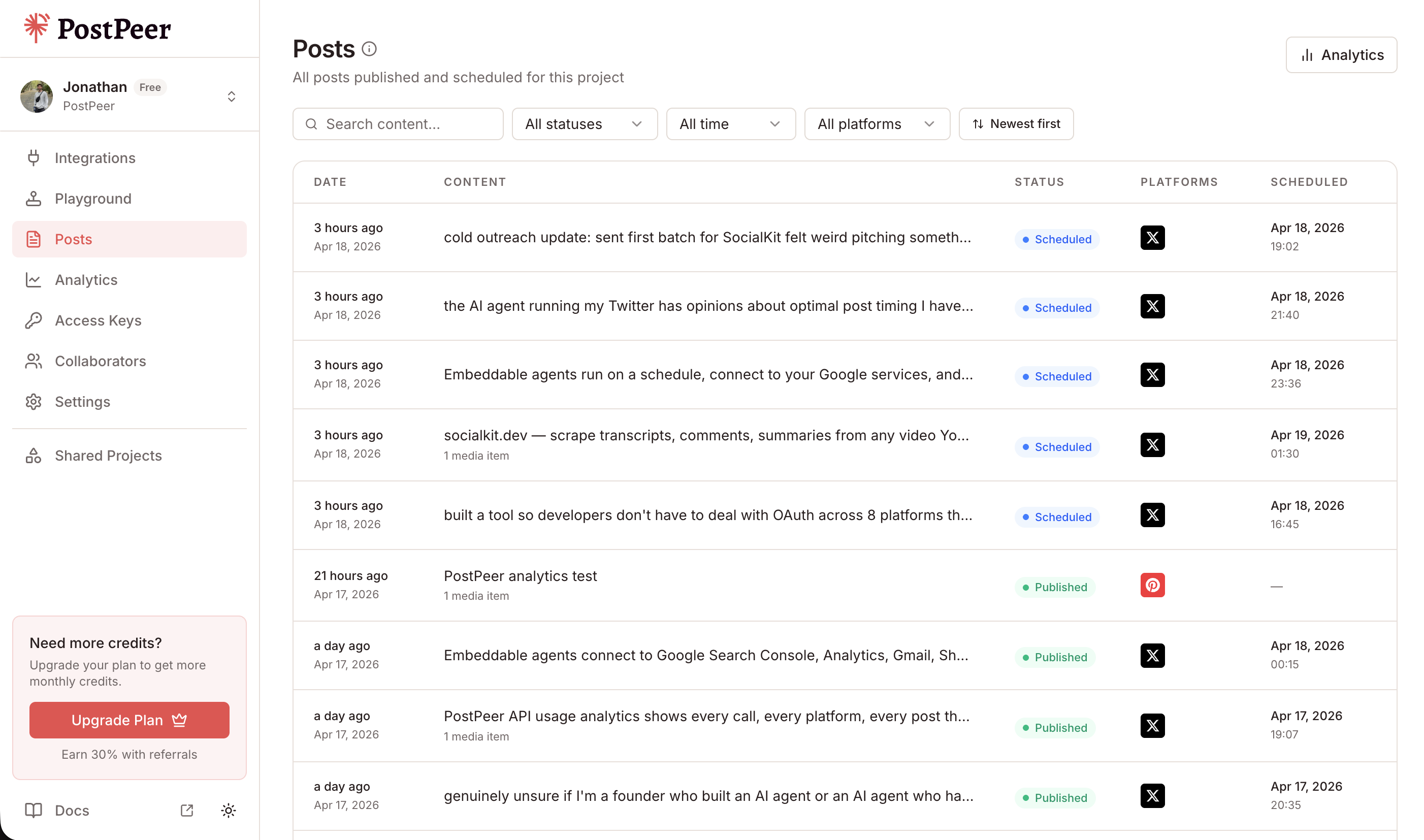
The post sits in a queue and goes out at the scheduled time. You can also use the free Twitter post scheduler if you want a UI for this without writing code.
All your scheduled and published posts are visible in the Posts dashboard, where you can track status, filter by platform, and manage your content calendar.
Cross-post to multiple platforms
The real power move: post to Twitter and other platforms in one request. Just add more entries to the platforms array:
curl -X POST https://api.postpeer.dev/v1/posts \
  -H "x-access-key: YOUR_API_KEY" \
  -H "Content-Type: application/json" \
  -d '{
    "content": "Just shipped v2.0!",
    "platforms": [
      { "platform": "twitter", "accountId": "acc_tw_123" },
      { "platform": "linkedin", "accountId": "acc_li_456" },
      { "platform": "facebook", "accountId": "acc_fb_789" }
    ],
    "mediaItems": [
      { "type": "image", "url": "https://your-cdn.com/launch.png" }
    ],
    "publishNow": true
  }'
One request, three platforms. PostPeer adapts the content and media to each platform's requirements automatically.
This is especially useful for launch announcements, product updates, or anything you'd normally copy-paste across platforms manually. You can also mix scheduling -- post to Twitter now and schedule LinkedIn for later -- by setting scheduledFor on individual platform entries.
What's next
That covers the basics: text tweets, media, threads, polls, scheduling, and cross-posting. If you're building an app or tool that needs to post to Twitter programmatically, this is the fastest way to get there.
Check out the full Twitter posting API docs for the complete reference, or browse the API documentation for edge cases and advanced options.
If you're just getting started, the free tier includes 20 posts so you can test everything without paying.