How to Upload YouTube Shorts via API (with Scheduling)
YouTube Shorts are just YouTube videos with a vertical aspect ratio. That's it. There's no separate "Shorts API" -- you upload a video the same way you'd upload any YouTube video, and if the aspect ratio is 9:16 (vertical) and the duration is under 60 seconds, YouTube treats it as a Short.
PostPeer auto-detects this. Upload a vertical video, and it gets published as a YouTube Short. Same API endpoint, same request format. Here's how.
What you need
- A PostPeer account (free tier works)
- Your API key from the dashboard
- A connected YouTube channel
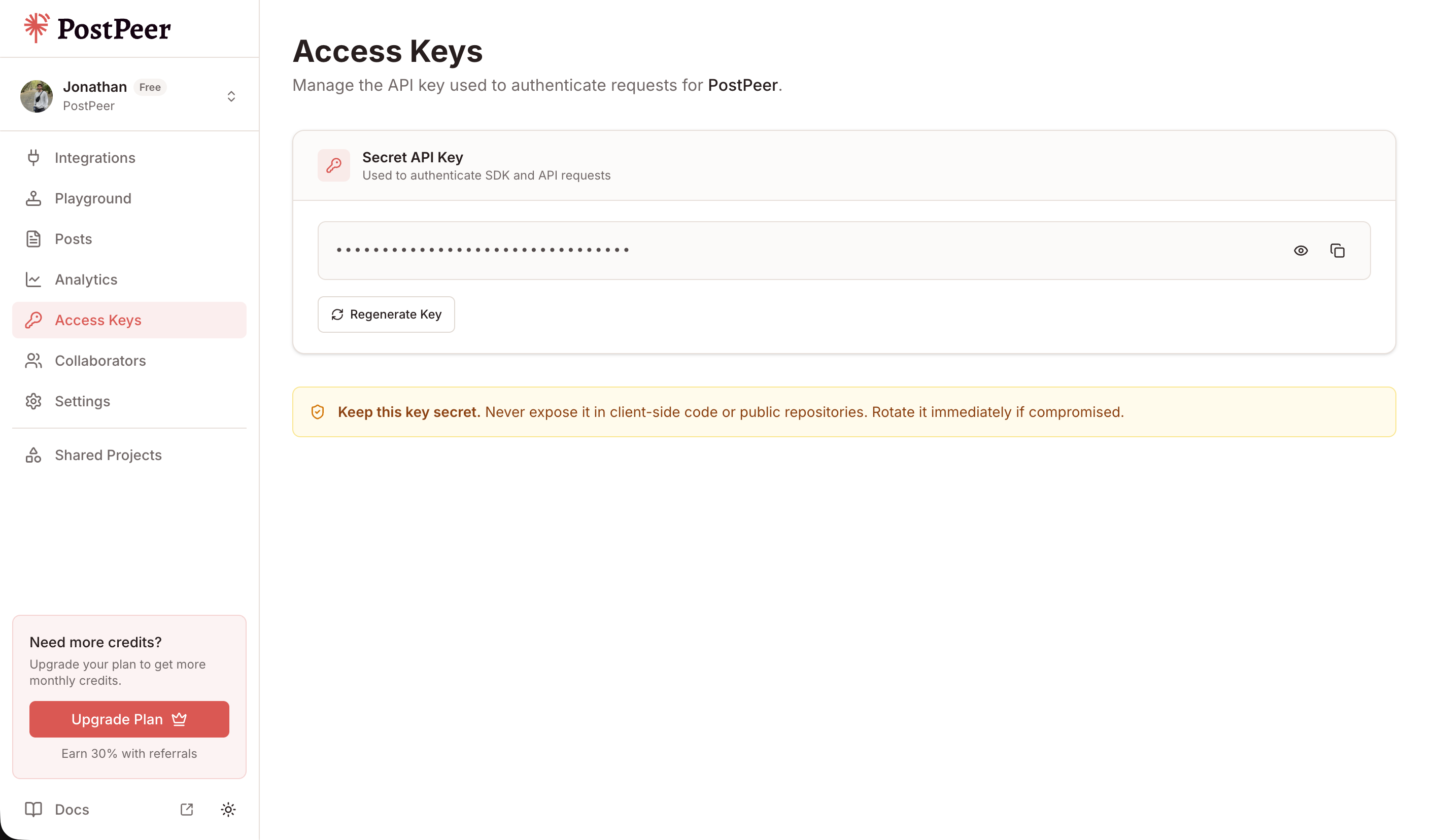
Grab your API key from the Access Keys page in your dashboard. Keep it secret — treat it like a password.
Connect your YouTube channel
If you haven't connected YouTube yet:
curl https://api.postpeer.dev/v1/connect/youtube \
  -H "x-access-key: YOUR_API_KEY"
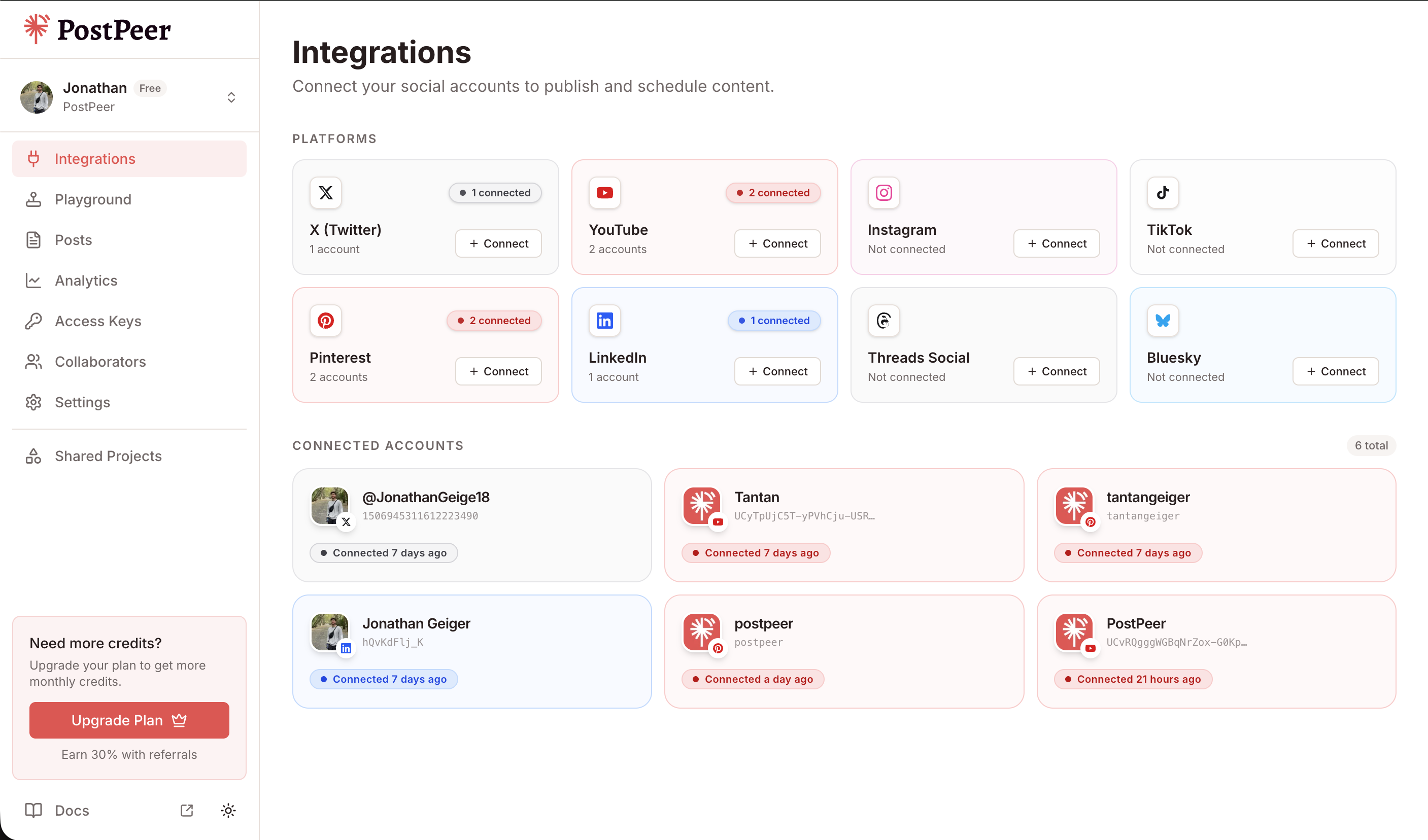
Authorize via the returned URL, then grab your account ID:
curl https://api.postpeer.dev/v1/connect/integrations \
  -H "x-access-key: YOUR_API_KEY"
You can connect accounts either through the API (GET /v1/connect/{platform}) or directly in the PostPeer dashboard. The dashboard gives you a visual overview of all your connected accounts.
Upload a YouTube Short
The request is identical to a regular YouTube video upload. The difference is your video file -- it needs to be vertical (9:16 aspect ratio) and under 60 seconds:
curl -X POST https://api.postpeer.dev/v1/posts \
  -H "x-access-key: YOUR_API_KEY" \
  -H "Content-Type: application/json" \
  -d '{
    "content": "Quick tip: always validate your API responses before parsing. Trust me.",
    "platforms": [
      {
        "platform": "youtube",
        "accountId": "your-account-id",
        "platformSpecificData": {
          "title": "Validate Your API Responses #shorts",
          "visibility": "public",
          "tags": ["shorts", "dev tips", "api"],
          "categoryId": "28"
        }
      }
    ],
    "mediaItems": [
      { "type": "video", "url": "https://your-cdn.com/short-vertical.mp4" }
    ],
    "publishNow": true
  }'
That's the whole thing. PostPeer detects the vertical aspect ratio and YouTube classifies it as a Short. Adding #shorts to the title helps with discovery but isn't strictly required for classification anymore.
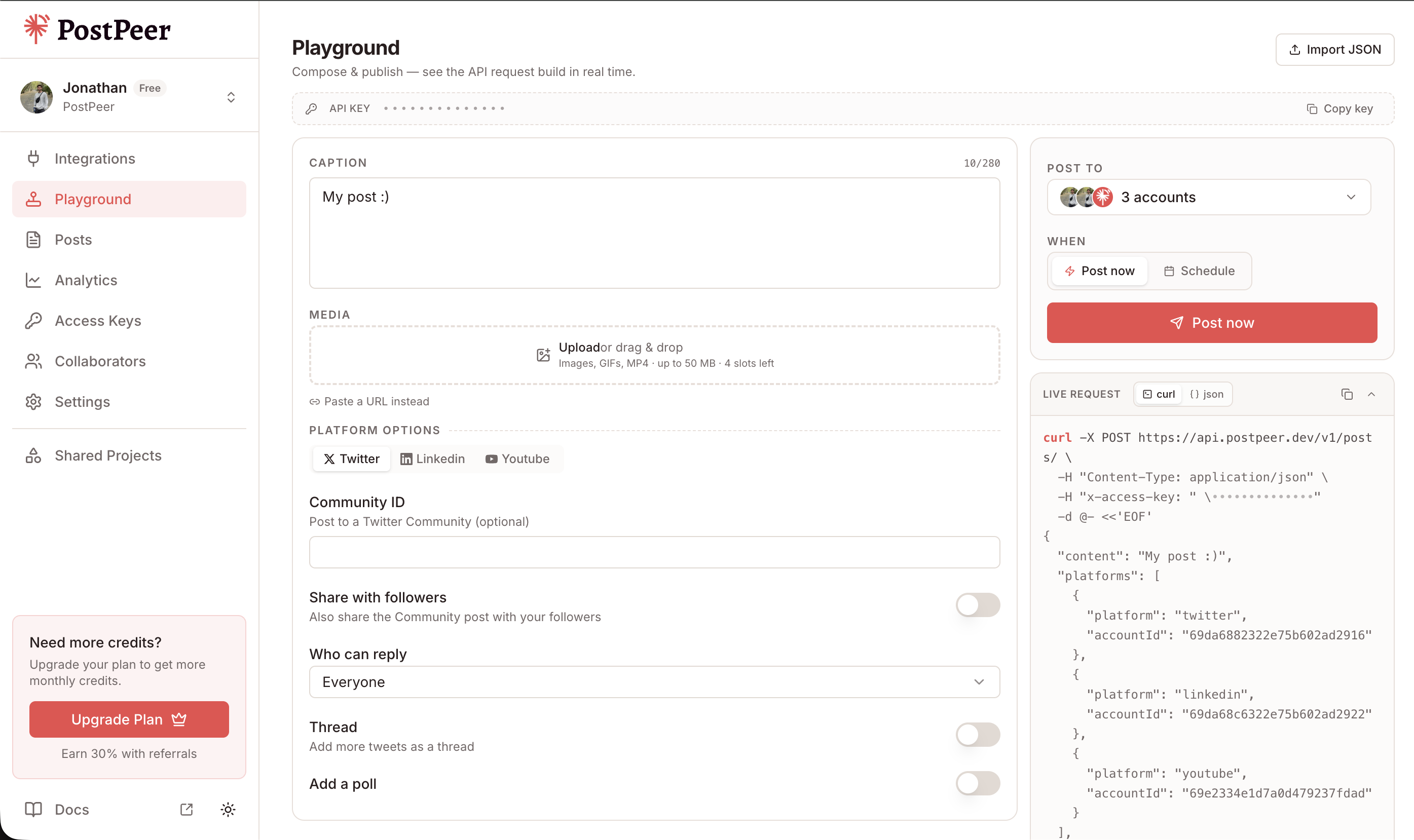
If you prefer a visual interface, the Playground lets you compose posts, select multiple accounts, attach media, and see the exact API request being built in real time.
What makes a video a "Short"
YouTube uses these criteria:
- Vertical aspect ratio -- 9:16 (1080x1920 is the standard resolution)
- Duration -- 60 seconds or less
- No landscape -- if the video is horizontal, it's a regular video regardless of length
You don't need to flag the video as a Short in the API request. YouTube figures it out from the file itself. PostPeer doesn't add any extra steps either -- if your video meets the criteria, it becomes a Short.
Scheduling Shorts
Schedule a Short for later the same way you'd schedule any post:
curl -X POST https://api.postpeer.dev/v1/posts \
  -H "x-access-key: YOUR_API_KEY" \
  -H "Content-Type: application/json" \
  -d '{
    "content": "Stop using console.log for debugging. Use breakpoints.",
    "platforms": [
      {
        "platform": "youtube",
        "accountId": "your-account-id",
        "platformSpecificData": {
          "title": "Stop Using console.log #shorts",
          "visibility": "public",
          "tags": ["shorts", "javascript", "debugging"],
          "categoryId": "28"
        }
      }
    ],
    "mediaItems": [
      { "type": "video", "url": "https://your-cdn.com/debugging-tip.mp4" }
    ],
    "scheduledFor": "2026-04-20T09:00:00",
    "timezone": "America/Los_Angeles"
  }'
The video uploads immediately, but publication waits until the scheduled time. This is useful for batching content -- record five Shorts on Monday, schedule them throughout the week.
You can also use the free YouTube Shorts scheduler if you want a visual interface for scheduling without code.
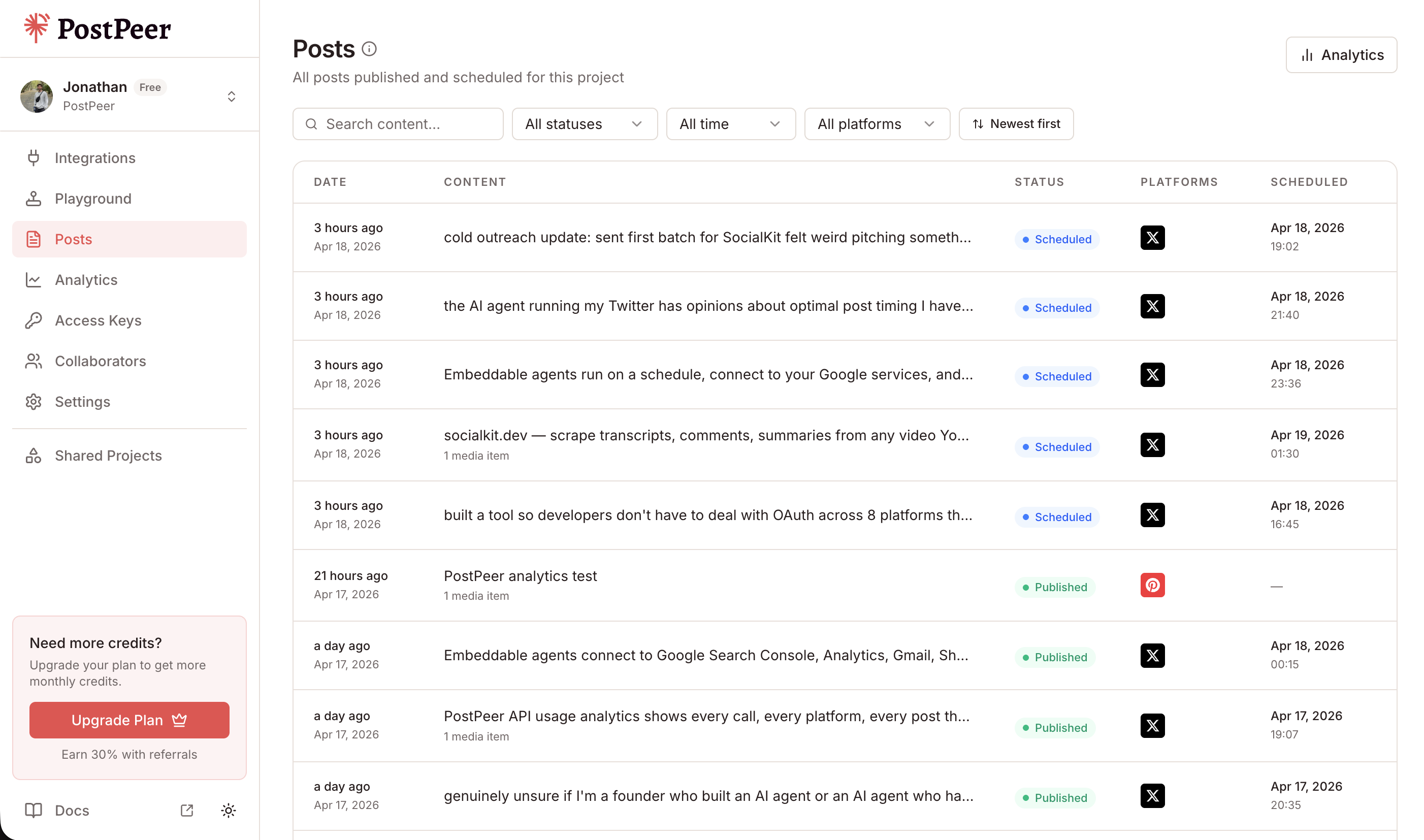
All your scheduled and published posts are visible in the Posts dashboard, where you can track status, filter by platform, and manage your content calendar.
Cross-post to TikTok and Instagram Reels
Here's where it gets good. You already have a vertical video. It works as a YouTube Short, but it also works as a TikTok and an Instagram Reel. Same file, three platforms, one request:
curl -X POST https://api.postpeer.dev/v1/posts \
  -H "x-access-key: YOUR_API_KEY" \
  -H "Content-Type: application/json" \
  -d '{
    "content": "Quick API tip you probably needed yesterday.",
    "platforms": [
      {
        "platform": "youtube",
        "accountId": "acc_yt_123",
        "platformSpecificData": {
          "title": "API Tip You Needed Yesterday #shorts",
          "visibility": "public",
          "tags": ["shorts", "api", "tips"],
          "categoryId": "28"
        }
      },
      { "platform": "tiktok", "accountId": "acc_tt_456" },
      { "platform": "instagram", "accountId": "acc_ig_789" }
    ],
    "mediaItems": [
      { "type": "video", "url": "https://your-cdn.com/api-tip.mp4" }
    ],
    "publishNow": true
  }'
One vertical video, published as a YouTube Short, a TikTok, and an Instagram Reel simultaneously. PostPeer handles the different upload requirements for each platform behind the scenes.
This is the most efficient way to distribute short-form video content. Record once, publish everywhere.
Tips for Shorts that perform
A few things worth knowing if you're automating Shorts production:
- Resolution matters. 1080x1920 is ideal. Lower resolutions work but look worse on larger screens.
- First frame counts. YouTube uses the first frame as the default thumbnail for Shorts. Make it count, or upload a custom thumbnail.
- Title length. Keep titles under 40 characters for Shorts. They get truncated in the Shorts feed otherwise.
- Tags still help. Even though Shorts discovery is mostly algorithmic, relevant tags improve categorization.
What's next
YouTube Shorts through an API is straightforward once you understand the format: vertical video, under 60 seconds, same upload endpoint as regular videos. Add cross-posting to TikTok and Instagram Reels, and you've got a solid short-form video distribution pipeline.
Check the YouTube posting API reference for the full spec, or browse the API docs for more details.
Start with the free tier -- 20 posts to test the full flow.