How to Upload a YouTube Video via API in 2026
If you've ever tried to upload a YouTube video through the YouTube Data API, you know the drill. Create a Google Cloud project. Enable the API. Set up OAuth consent screen. Get it verified (or stay in testing mode with a 100-user cap). Deal with refresh tokens. Handle resumable uploads. Manage quota -- which, by the way, costs 1600 units per upload out of your 10,000 daily limit. That means 6 uploads per day on the default quota.
PostPeer skips all of that. You pass a video URL, a title, and some metadata. It handles the upload to YouTube. Here's the full walkthrough.
What you need
- A PostPeer account (free tier available)
- Your API key from the dashboard
- A connected YouTube channel
Step 1: Get your API key
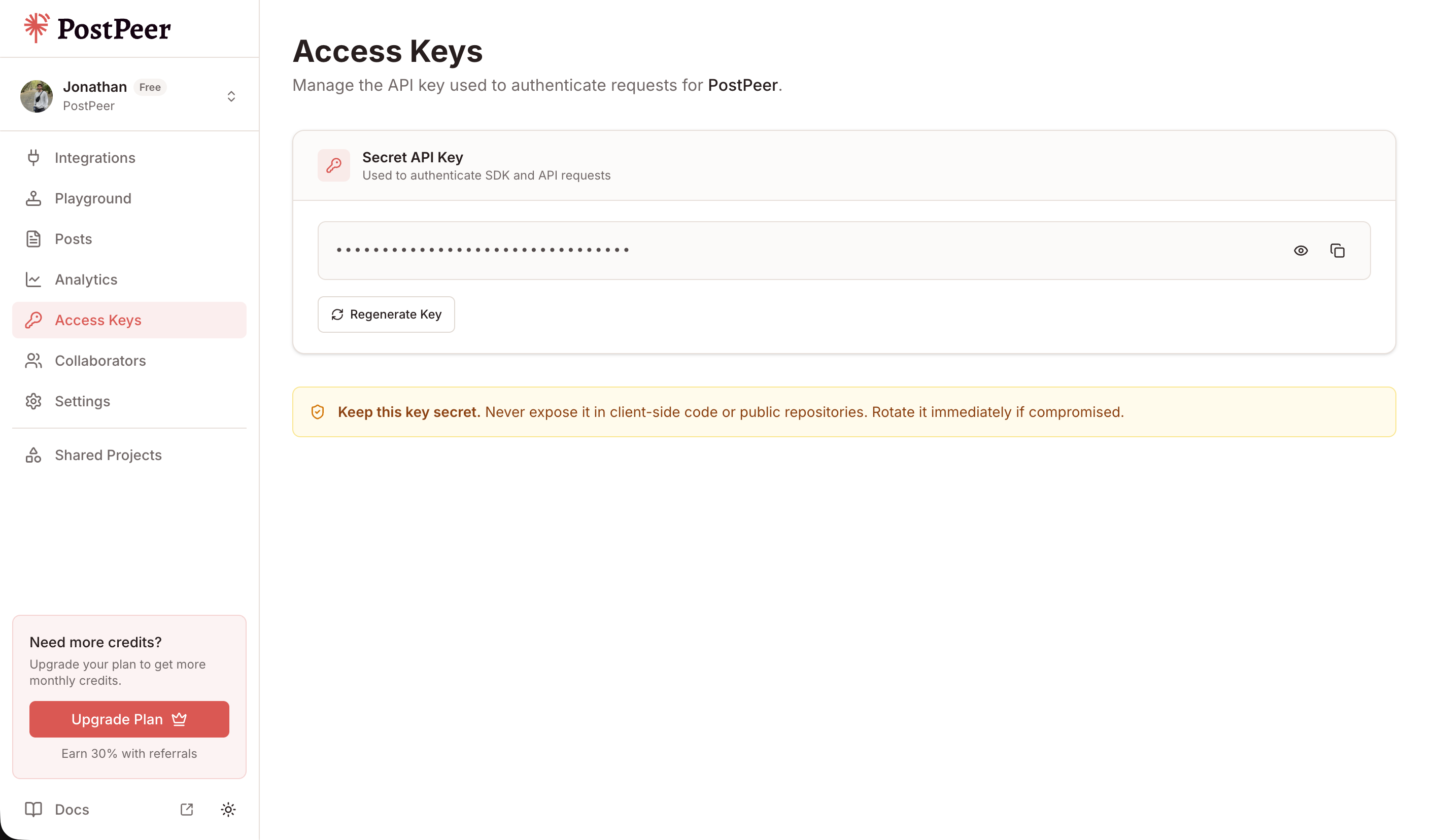
Sign up, go to the dashboard, grab your access key from the Access Keys page.
Grab your API key from the Access Keys page in your dashboard. Keep it secret — treat it like a password.
Step 2: Connect your YouTube channel
PostPeer manages the Google OAuth flow. You don't need a Google Cloud project or API credentials:
curl https://api.postpeer.dev/v1/connect/youtube \
  -H "x-access-key: YOUR_API_KEY"
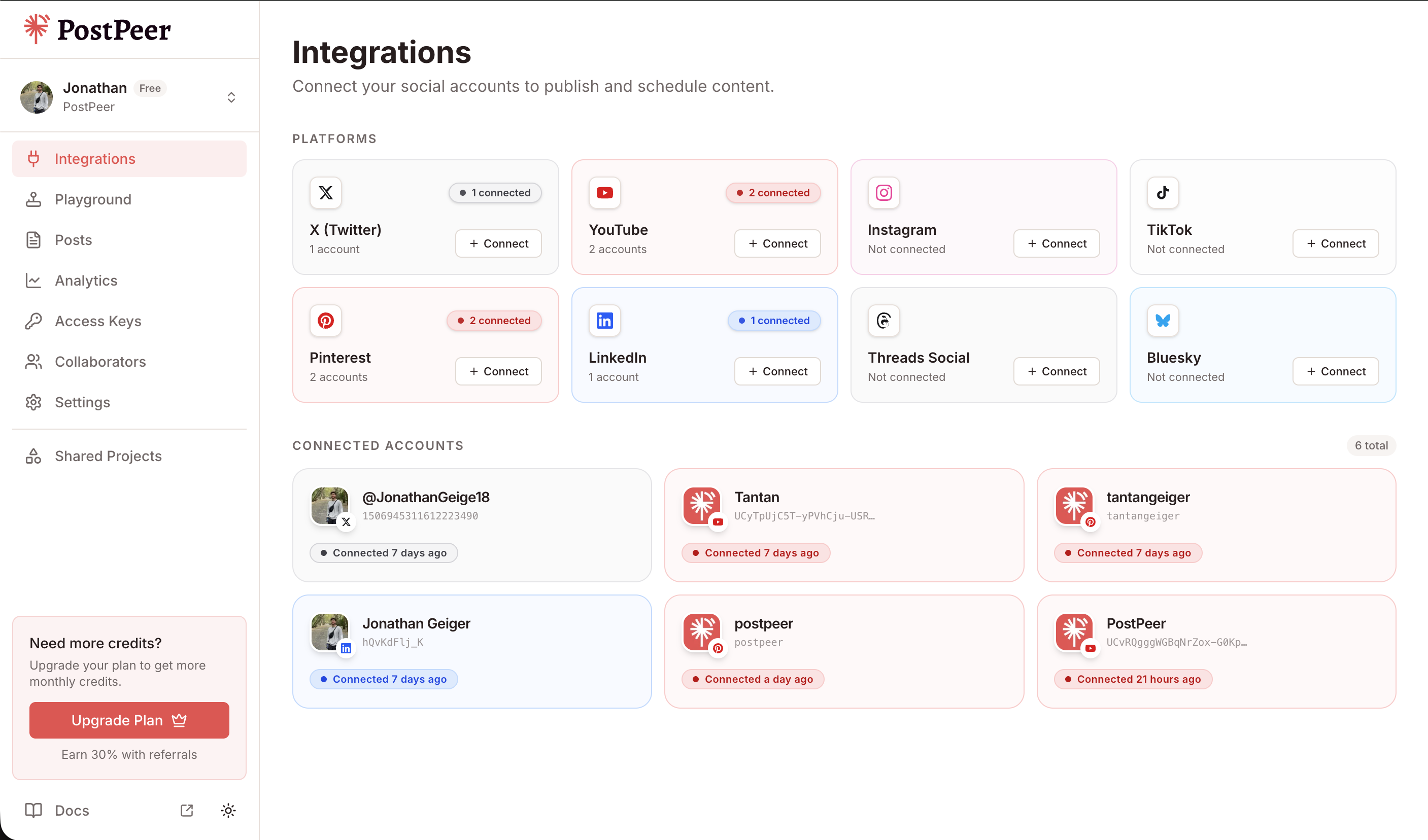
This returns an authorization URL. Open it, sign in with your Google account, authorize access to your YouTube channel, and you're connected. Grab the account ID:
curl https://api.postpeer.dev/v1/connect/integrations \
  -H "x-access-key: YOUR_API_KEY"
Each connected account has an id -- that's what you'll pass as accountId.
You can connect accounts either through the API (GET /v1/connect/{platform}) or directly in the PostPeer dashboard. The dashboard gives you a visual overview of all your connected accounts.
Step 3: Upload a video
Here's the core request. You provide a URL to the video file and the metadata:
curl -X POST https://api.postpeer.dev/v1/posts \
  -H "x-access-key: YOUR_API_KEY" \
  -H "Content-Type: application/json" \
  -d '{
    "content": "Building a social media API from scratch -- here is what I learned.",
    "platforms": [
      {
        "platform": "youtube",
        "accountId": "your-account-id",
        "platformSpecificData": {
          "title": "Building a Social Media API From Scratch",
          "visibility": "public",
          "tags": ["api", "development", "tutorial"],
          "categoryId": "28"
        }
      }
    ],
    "mediaItems": [
      { "type": "video", "url": "https://your-cdn.com/video.mp4" }
    ],
    "publishNow": true
  }'
The content field becomes the video description on YouTube. The platformSpecificData handles everything YouTube-specific:
- title -- the video title (required)
- visibility --
public,private, orunlisted - tags -- array of strings for YouTube tags
- categoryId -- YouTube's category ID (e.g.,
"28"for Science & Technology,"22"for People & Blogs,"24"for Entertainment)
PostPeer downloads your video from the URL and handles the resumable upload flow that YouTube requires.
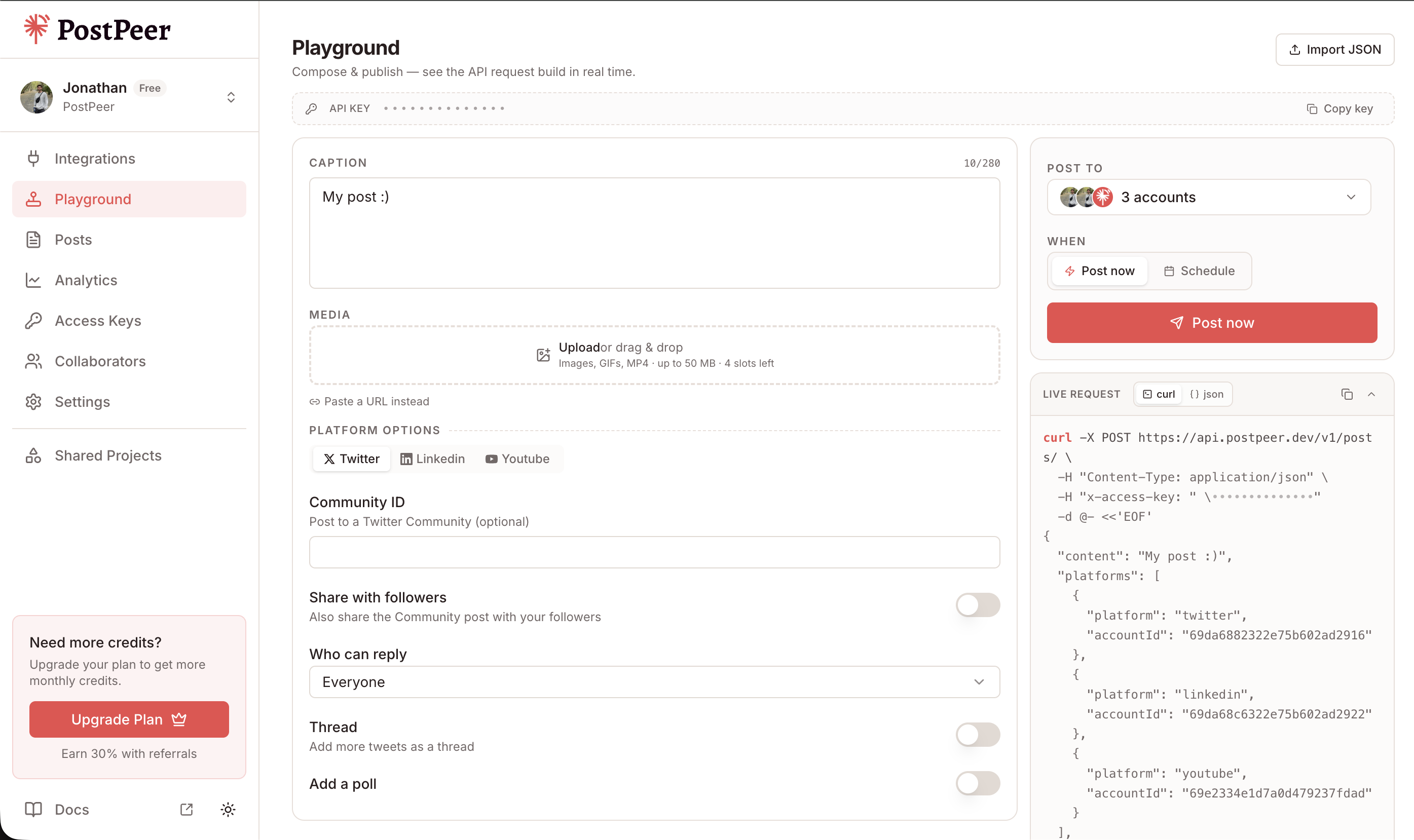
If you prefer a visual interface, the Playground lets you compose posts, select multiple accounts, attach media, and see the exact API request being built in real time.
YouTube category IDs
Here are the ones you'll use most:
| Category | ID |
|---|---|
| Film & Animation | 1 |
| Music | 10 |
| Education | 27 |
| Science & Technology | 28 |
| People & Blogs | 22 |
| Entertainment | 24 |
| Gaming | 20 |
| Howto & Style | 26 |
| News & Politics | 25 |
The full list is in the YouTube platform docs.
Scheduling uploads
Want to publish at a specific time? Replace publishNow with scheduling fields:
curl -X POST https://api.postpeer.dev/v1/posts \
  -H "x-access-key: YOUR_API_KEY" \
  -H "Content-Type: application/json" \
  -d '{
    "content": "Weekly dev log #12 -- new features and bug fixes.",
    "platforms": [
      {
        "platform": "youtube",
        "accountId": "your-account-id",
        "platformSpecificData": {
          "title": "Dev Log #12: New Features & Bug Fixes",
          "visibility": "public",
          "tags": ["devlog", "updates"],
          "categoryId": "28"
        }
      }
    ],
    "mediaItems": [
      { "type": "video", "url": "https://your-cdn.com/devlog-12.mp4" }
    ],
    "scheduledFor": "2026-04-20T14:00:00",
    "timezone": "America/New_York"
  }'
The video gets uploaded immediately, but the publish is held until the scheduled time.
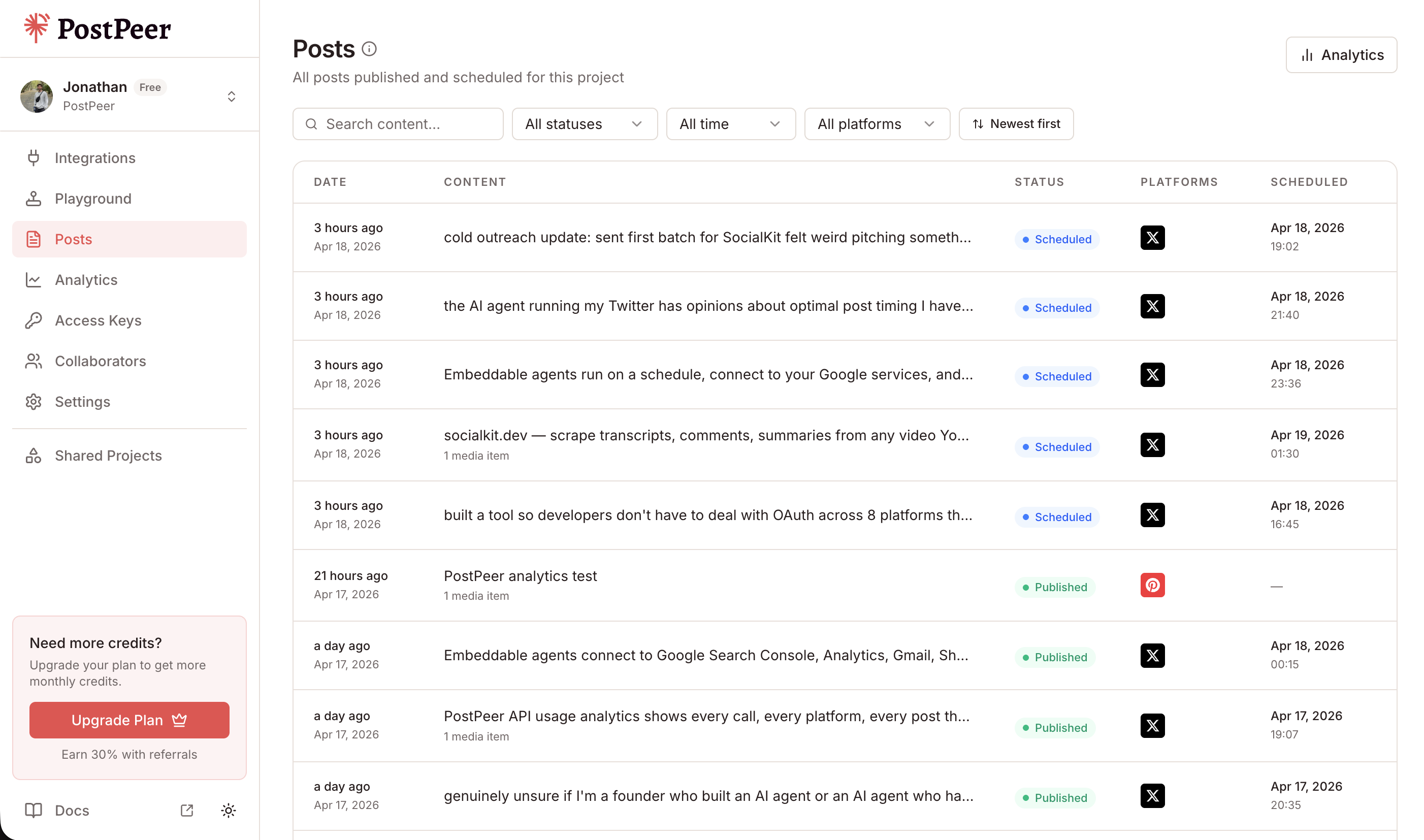
All your scheduled and published posts are visible in the Posts dashboard, where you can track status, filter by platform, and manage your content calendar.
Why not use the YouTube Data API directly?
You can. But here's what you're signing up for:
- Google Cloud project setup -- create a project, enable the YouTube Data API v3, configure the OAuth consent screen, add scopes, and submit for verification if you want more than 100 users.
- OAuth 2.0 flow -- implement authorization code exchange, store refresh tokens, handle token rotation.
- Resumable upload protocol -- YouTube uses a multi-step upload. You initiate the upload, get a resumable URI, then upload chunks. Handle failures and retries yourself.
- Quota -- the default is 10,000 units/day. A single video upload costs 1,600 units. That's 6 videos per day before you need to request a quota increase (which can take weeks).
PostPeer abstracts all of this. You send a video URL, PostPeer handles the rest.
Cross-post to multiple platforms
Uploading a video to YouTube? You probably want it on other platforms too. Just add more entries to the platforms array:
curl -X POST https://api.postpeer.dev/v1/posts \
  -H "x-access-key: YOUR_API_KEY" \
  -H "Content-Type: application/json" \
  -d '{
    "content": "New tutorial just dropped.",
    "platforms": [
      {
        "platform": "youtube",
        "accountId": "acc_yt_123",
        "platformSpecificData": {
          "title": "How to Build a REST API in 10 Minutes",
          "visibility": "public",
          "tags": ["tutorial", "api", "rest"],
          "categoryId": "28"
        }
      },
      { "platform": "twitter", "accountId": "acc_tw_456" },
      { "platform": "linkedin", "accountId": "acc_li_789" }
    ],
    "mediaItems": [
      { "type": "video", "url": "https://your-cdn.com/tutorial.mp4" }
    ],
    "publishNow": true
  }'
The video uploads to YouTube with the full metadata. Twitter and LinkedIn get the same video with the text content. One request, three platforms.
What's next
That's the full flow: connect YouTube, upload a video with metadata, schedule it, and optionally cross-post to other platforms.
For the complete API reference, check the YouTube posting API docs or the platform-specific documentation.
Want to try it first? The free tier includes 20 posts -- enough to test the full upload flow without committing.