How to Manage Facebook Comments With an API in 2026
Comments are where most of the actual conversation on a Facebook Page happens, and Meta's Graph API makes them annoying to touch. You need the right Page token, the right permissions, and comments and replies live at different edges of the graph.
App Review is the other wall. Reading and managing comments on behalf of a Page means requesting pages_read_user_content and pages_manage_engagement, and Meta wants a recorded walkthrough before it approves either.
PostPeer wraps all of that into one endpoint. OAuth, the Page token juggling, App Review, and Page selection are handled for you. Here's how to list, reply to, and delete Facebook Page comments from your own code.
What you need
- A PostPeer account (free tier works)
- Your access key from the dashboard
- A Facebook Page (this works on Pages, not personal profiles, which is Meta's limit, not ours)
Step 1: Get your API key
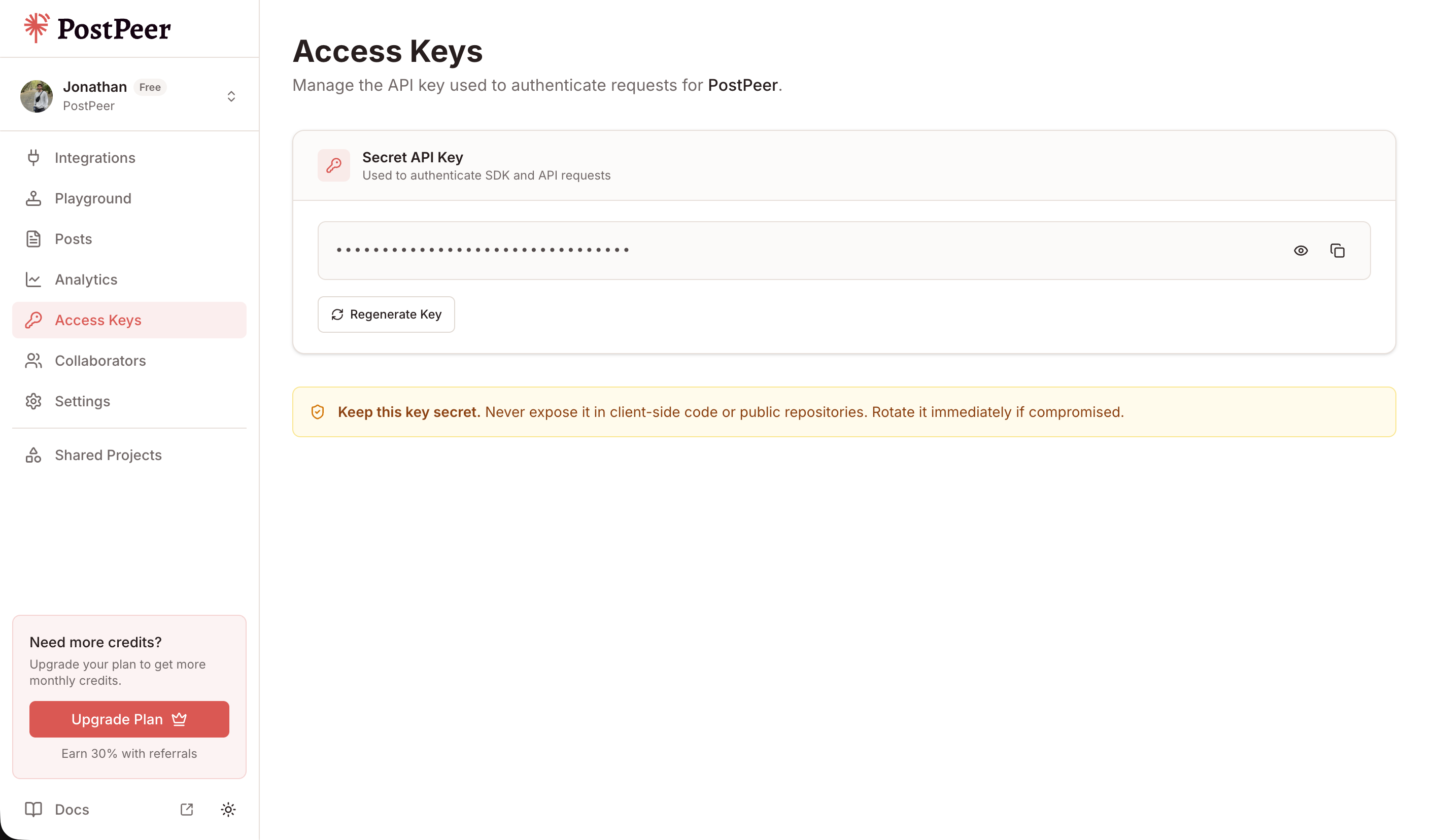
Sign up at PostPeer, open the dashboard, and grab your access key from the Access Keys page. Every request uses the x-access-key header:
-H "x-access-key: YOUR_API_KEY"Grab your API key from the Access Keys page in your dashboard. Treat it like a password.
Step 2: Connect your Facebook Page
PostPeer handles the OAuth flow. Hit the connect endpoint to get an authorization URL:
curl https://api.postpeer.dev/v1/connect/facebook \
  -H "x-access-key: YOUR_API_KEY"
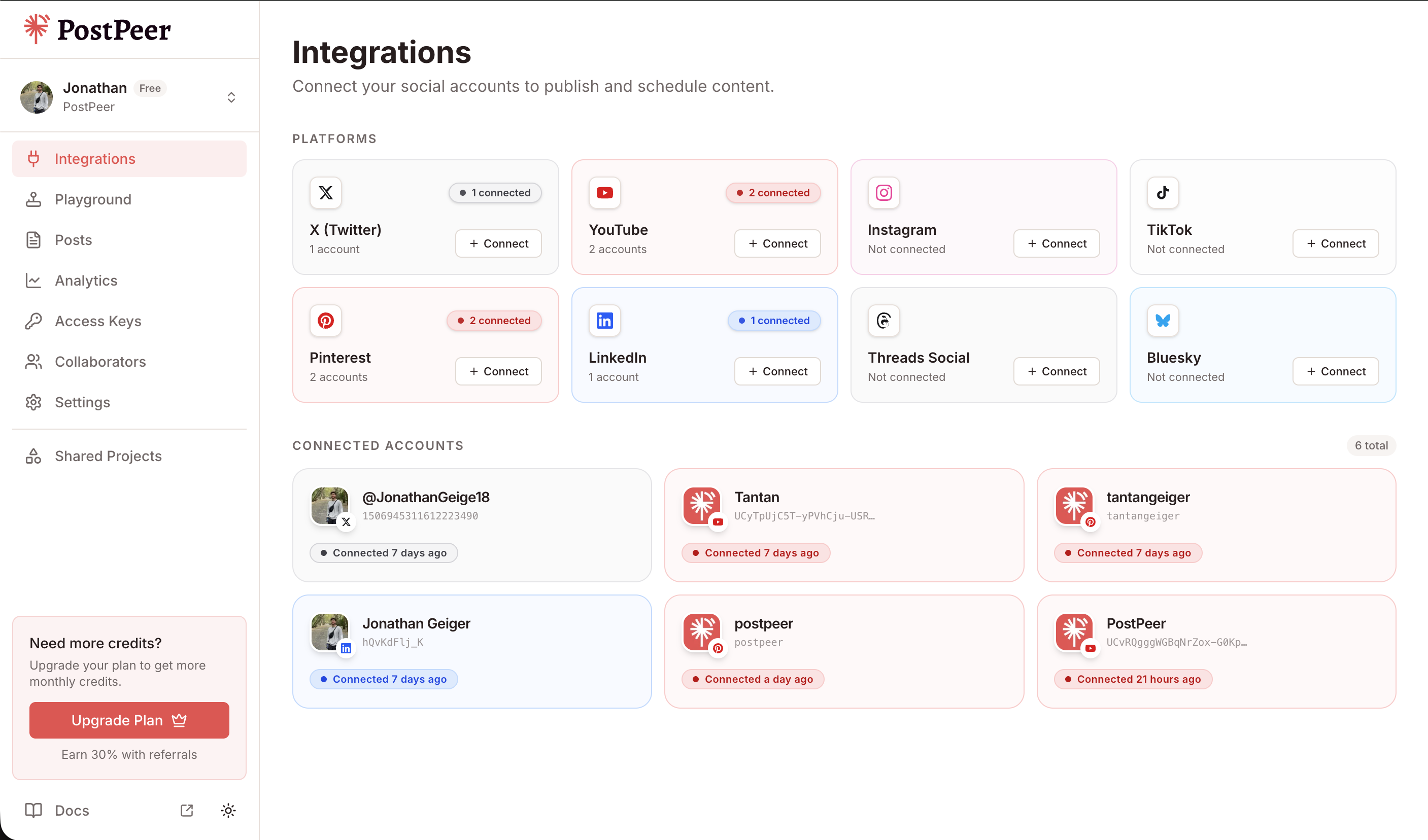
You'll get back a URL. Open it in a browser, authorize the app, and pick which Page you want to link. Managing comments needs two Meta permissions: pages_read_user_content to read them and pages_manage_engagement to reply and delete. PostPeer already requests both, so you don't file your own App Review.
Once you've authorized, grab the account ID from the integrations endpoint:
curl https://api.postpeer.dev/v1/connect/integrations \
  -H "x-access-key: YOUR_API_KEY"
The response includes an id for each connected account. That's your accountId for every comment call below. You can also connect from the PostPeer dashboard if you'd rather click a button than run curl.
Step 3: List comments on a post
Pass platform=facebook, your accountId, and the postId of the Page post you want to read. You get top-level comments plus their first level of replies in one response:
curl "https://api.postpeer.dev/v1/comments?platform=facebook&accountId=your-fb-id&postId=your-post-id" \
  -H "x-access-key: YOUR_API_KEY"
Response:
{
  "success": true,
  "comments": [
    {
      "id": "17845...901",
      "text": "Does this ship to Canada?",
      "author": { "id": "1029...", "name": "Priya Anand" },
      "timestamp": "2026-08-05T14:22:10Z",
      "likeCount": 3,
      "hidden": false,
      "replies": [
        {
          "id": "17845...944",
          "text": "Yes! Free over $50.",
          "author": { "id": "998...", "name": "Your Page" },
          "timestamp": "2026-08-05T14:40:02Z",
          "likeCount": 0
        }
      ]
    }
  ],
  "nextCursor": "QVFIU..."
}
Default page size is 25 comments. Bump it with limit (1 to 100), and page forward by passing the nextCursor value as after on your next call:
curl "https://api.postpeer.dev/v1/comments?platform=facebook&accountId=your-fb-id&postId=your-post-id&limit=50&after=QVFIU..." \
  -H "x-access-key: YOUR_API_KEY"
Full field list is in the list comments docs.
Step 4: Post a top-level comment
To leave a new comment on the post itself, POST to the same endpoint with a postId and your text:
curl -X POST https://api.postpeer.dev/v1/comments \
  -H "x-access-key: YOUR_API_KEY" \
  -H "Content-Type: application/json" \
  -d '{
    "platform": "facebook",
    "accountId": "your-fb-id",
    "postId": "your-post-id",
    "text": "Thanks for all the questions here, dropping answers below."
  }'
Response:
{
  "success": true,
  "commentId": "17845...977"
}
Hang onto that commentId. You'll need it to reply to this thread or delete it later.
Step 5: Reply to a comment
Replying looks almost identical, except you swap postId for commentId. That's the whole difference: a postId starts a new top-level comment, a commentId nests a reply under an existing one.
curl -X POST https://api.postpeer.dev/v1/comments \
  -H "x-access-key: YOUR_API_KEY" \
  -H "Content-Type: application/json" \
  -d '{
    "platform": "facebook",
    "accountId": "your-fb-id",
    "commentId": "17845...901",
    "text": "Yes, we ship to Canada. Free over $50."
  }'
The response is the same shape, a success flag and the new commentId for your reply. This is the pattern behind auto-responders: read comments in Step 3, match the ones you care about, fire a reply here.
Step 6: Delete a comment
To remove a comment (a spam reply, an off-topic thread, your own typo), send a DELETE with the comment's ID in the path and platform plus accountId as query params:
curl -X DELETE "https://api.postpeer.dev/v1/comments/17845...977?platform=facebook&accountId=your-fb-id" \
  -H "x-access-key: YOUR_API_KEY"
Response:
{
  "success": true
}
Deletion is permanent, so treat it as a moderation action rather than a way to declutter. If it was your Page's own comment, it disappears for everyone. If it was someone else's comment on your Page's post, deleting it removes it from the thread.
One thing Facebook can't do here
There's no hide/unhide for Facebook comments through this API. If you've seen the hidden field in the list response and expected a toggle, that toggle is Instagram only. On Facebook your moderation options through PostPeer are reply and delete. Plan your workflow around those two.
What it costs
Each Comments API call spends 1 credit, the same as every other PostPeer endpoint. Listing comments, replying, and deleting each count as one call, so budget for the volume your Page needs. The free tier includes credits to test with.
What's next
That's the full loop: read comments and replies, post a top-level comment, reply into a thread, and delete when you need to moderate. It's enough to build a comment inbox or an auto-reply bot on top of your Page.
Full reference lives on the Facebook Comments API page. If you want a no-code version to test the flow first, the Facebook comment manager runs on the same API behind a UI.
If you also want to publish the posts you're moderating, see how to post on Facebook with an API. And the free tier comes with credits to wire this into your app and test it.