How to Manage Instagram Comments With an API in 2026
Instagram's comment moderation through the Graph API is a chore. You need a Business or Creator account, the right Meta permission, and an App Review that wants a recorded walkthrough of every action your app takes.
Once you're through that, the endpoints themselves are split across reads, writes, and edits with different scopes for each. Getting a comment thread, replying to a customer, and hiding spam all use slightly different calls.
PostPeer wraps all of it into one endpoint. OAuth is handled for you, App Review is handled for you, and the Meta scope instagram_business_manage_comments is already approved. Here's how to list, reply, hide, and delete comments in code.
What you need
- A PostPeer account (free tier works)
- Your access key from the dashboard
- An Instagram Business or Creator account (personal accounts can't manage comments via API, that's Meta's rule, not ours)
On cost: each Comments API call spends 1 credit, the same as every other PostPeer endpoint. Listing a thread, replying, hiding, and deleting each count as one call, so plan your polling around your credit budget.
Step 1: Get your API key
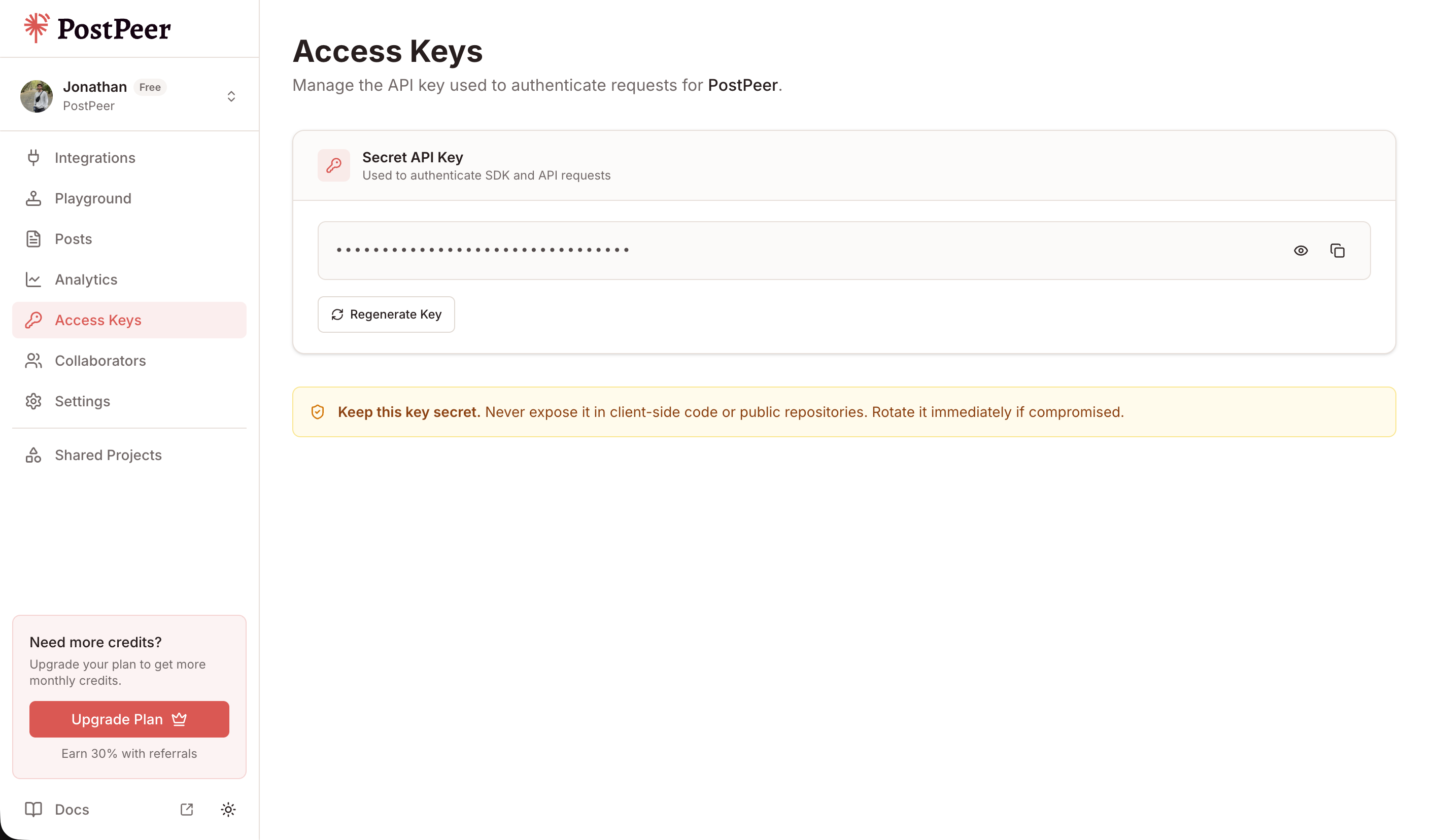
Sign up at PostPeer, head to the dashboard, and grab your access key from the Access Keys page. Every request uses the x-access-key header:
-H "x-access-key: YOUR_API_KEY"Grab your API key from the Access Keys page in your dashboard. Treat it like a password.
Step 2: Connect your Instagram account
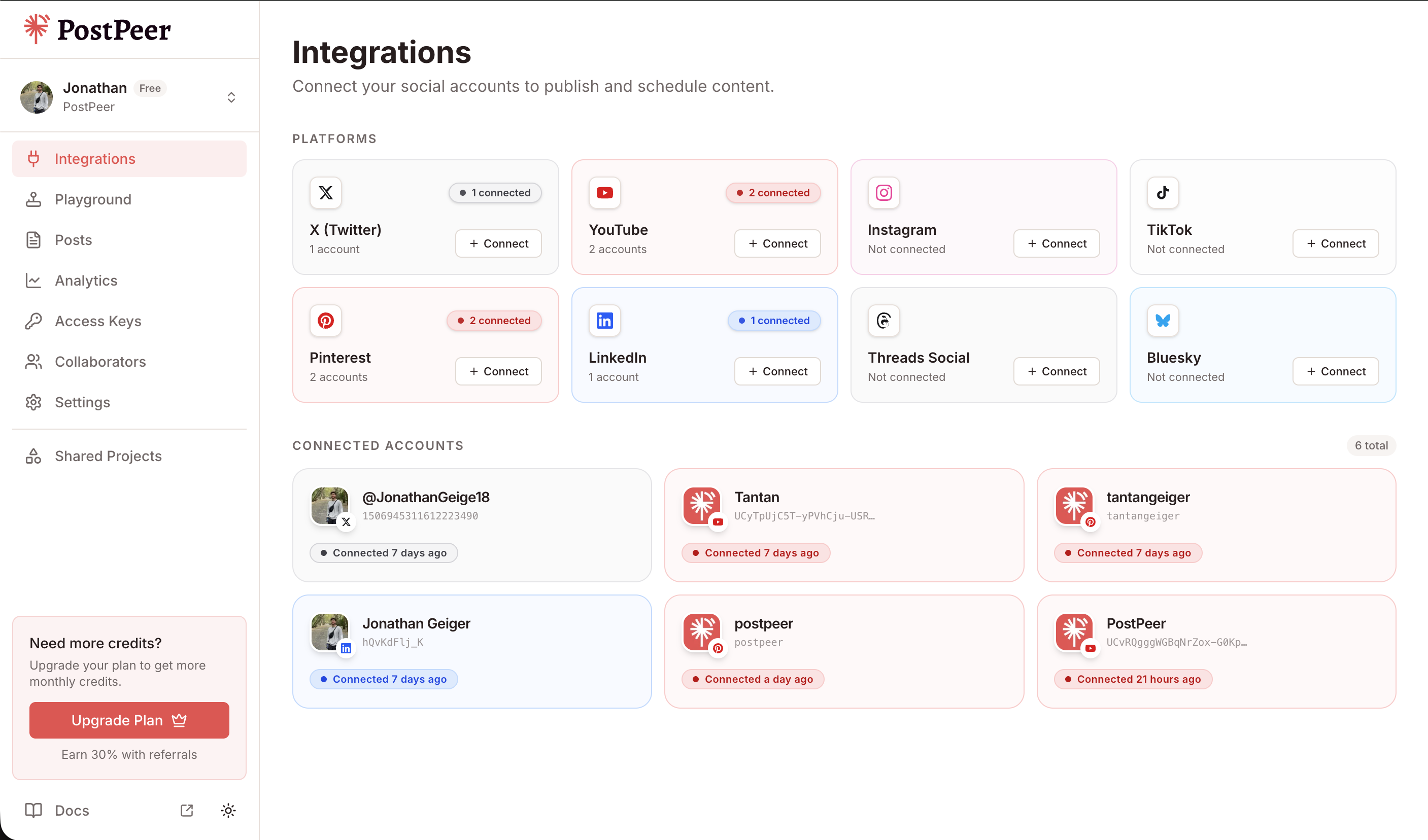
PostPeer handles the OAuth flow. Hit the connect endpoint to get an authorization URL:
curl https://api.postpeer.dev/v1/connect/instagram \
  -H "x-access-key: YOUR_API_KEY"
Open the URL it returns, authorize the app, and your Instagram Business account is linked. Behind that authorization, PostPeer requests the instagram_business_manage_comments scope so you can read and moderate comments without running your own App Review.
Grab the account ID from the integrations endpoint:
curl https://api.postpeer.dev/v1/connect/integrations \
  -H "x-access-key: YOUR_API_KEY"
The response includes an id for each connected account. That's your accountId for every comment call below. You can also do this from the PostPeer dashboard if you'd rather click a button.
Step 3: List comments on a post
Pass the postId of the media you want, plus platform and accountId. You get top-level comments with their first level of replies inline:
curl "https://api.postpeer.dev/v1/comments?platform=instagram&accountId=your-ig-id&postId=17901234567890123&limit=25" \
  -H "x-access-key: YOUR_API_KEY"
The response gives you each comment, its author, like count, whether it's hidden, and a replies array:
{
  "success": true,
  "comments": [
    {
      "id": "17851234567890111",
      "text": "Where can I buy this?",
      "author": { "id": "17841400000000001", "name": "maria.builds" },
      "timestamp": "2026-08-05T14:22:10+0000",
      "likeCount": 3,
      "hidden": false,
      "replies": [
        {
          "id": "17851234567890222",
          "text": "Link is in our bio!",
          "author": { "id": "17841400000000002", "name": "yourbrand" },
          "timestamp": "2026-08-05T14:31:04+0000",
          "likeCount": 0
        }
      ]
    }
  ],
  "nextCursor": "QVFIUlZ..."
}
To page through a busy post, pass the nextCursor value back as the after query param. limit accepts 1 to 100 and defaults to 25. Full field list is in the list comments docs.
Step 4: Post a top-level comment
To leave a new comment on your own post, send a postId and the text:
curl -X POST https://api.postpeer.dev/v1/comments \
  -H "x-access-key: YOUR_API_KEY" \
  -H "Content-Type: application/json" \
  -d '{
    "platform": "instagram",
    "accountId": "your-ig-id",
    "postId": "17901234567890123",
    "text": "Thanks for all the love on this one 🙌"
  }'
You get back the ID of the comment you just created:
{
  "success": true,
  "commentId": "17851234567890333"
}
Step 5: Reply to a comment
Replying is the same endpoint. Swap postId for commentId and PostPeer threads your reply under that comment instead of the post:
curl -X POST https://api.postpeer.dev/v1/comments \
  -H "x-access-key: YOUR_API_KEY" \
  -H "Content-Type: application/json" \
  -d '{
    "platform": "instagram",
    "accountId": "your-ig-id",
    "commentId": "17851234567890111",
    "text": "Just sent you a DM with the link!"
  }'
That one field decides everything. Include postId for a new top-level comment, include commentId for a reply. Response shape is identical, a success flag and the new commentId.
Step 6: Hide or unhide a comment
Instagram lets you hide a comment without deleting it. The comment stays live for its author but disappears from everyone else, which is the gentler way to deal with spam or off-topic noise. Send a PATCH with hidden: true:
curl -X PATCH https://api.postpeer.dev/v1/comments/17851234567890111 \
  -H "x-access-key: YOUR_API_KEY" \
  -H "Content-Type: application/json" \
  -d '{
    "platform": "instagram",
    "accountId": "your-ig-id",
    "hidden": true
  }'
Flip hidden back to false to restore it. Hiding is Instagram-only among Meta's platforms, so this endpoint won't work for Facebook or Threads comments.
Step 7: Delete a comment
When hiding isn't enough, delete it outright. Pass platform and accountId as query params and the comment ID in the path:
curl -X DELETE "https://api.postpeer.dev/v1/comments/17851234567890111?platform=instagram&accountId=your-ig-id" \
  -H "x-access-key: YOUR_API_KEY"
You can delete your own comments and comments left on your posts. This is permanent, so reach for hide first if you're unsure.
Building a moderation loop
Put those four actions together and you have a full moderation workflow. Poll GET /v1/comments for new comments, run each one through your own spam check or a language model, then reply, hide, or delete based on the result.
Each call in that loop spends 1 credit, so tune your polling to your credit budget. The Instagram Comments API page has the full reference, and if you want a no-code version to test with first, the Instagram comment manager is the same API behind a UI.
What's next
That covers listing, replying, hiding, and deleting Instagram comments in code. If you're also publishing to Instagram, the flow pairs naturally with how to post on Instagram with an API so you can post and moderate from the same access key.
The free tier comes with credits to wire up and test the whole loop. Grab your access key and start moderating.