How to Manage Threads Comments With an API in 2026
Threads doesn't have "comments." It has replies. If you've come from the Instagram or Facebook side of Meta's world, that naming trips people up immediately, and the API mirrors it. When you want to read what people said under your Threads post, you're pulling replies. When you answer them, you're posting a reply.
Meta's Threads API also draws hard lines around what you're allowed to do. You can read replies and post replies. You cannot delete or hide them through the API. Meta hasn't approved the threads_delete permission for that yet, so no third party can offer it.
PostPeer wraps the reply endpoints into the same /v1/comments endpoint it uses for Instagram and Facebook, so your code looks the same across all three. OAuth is handled for you. Here's how to set it up.
What you need
- A PostPeer account (free tier works)
- Your access key from the dashboard
- A Threads account you can authorize
Step 1: Get your API key
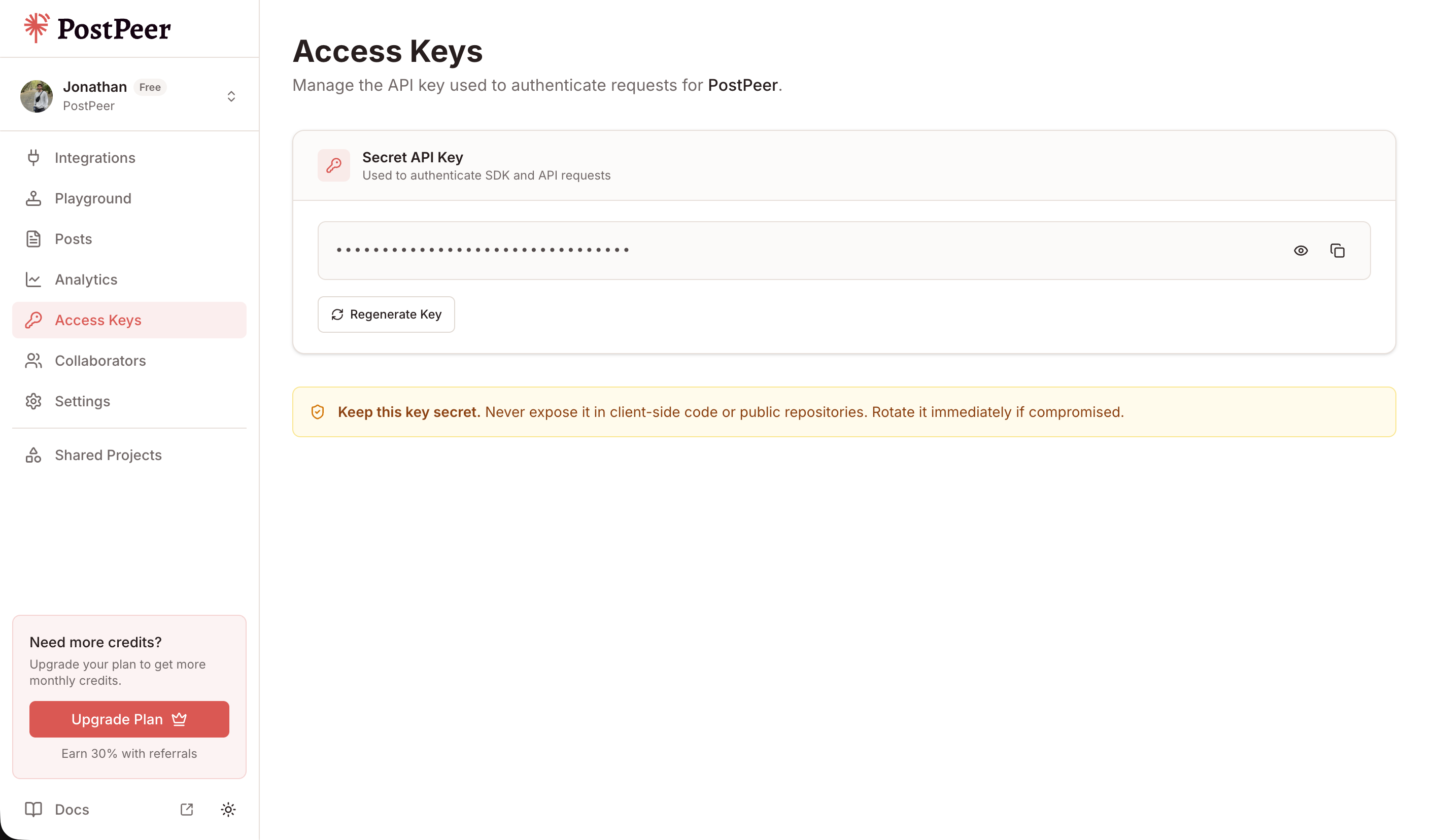
Sign up at PostPeer, open the dashboard, and grab your access key from the Access Keys page. Every request uses the x-access-key header:
-H "x-access-key: YOUR_API_KEY"Grab your API key from the Access Keys page. Treat it like a password.
Step 2: Connect your Threads account
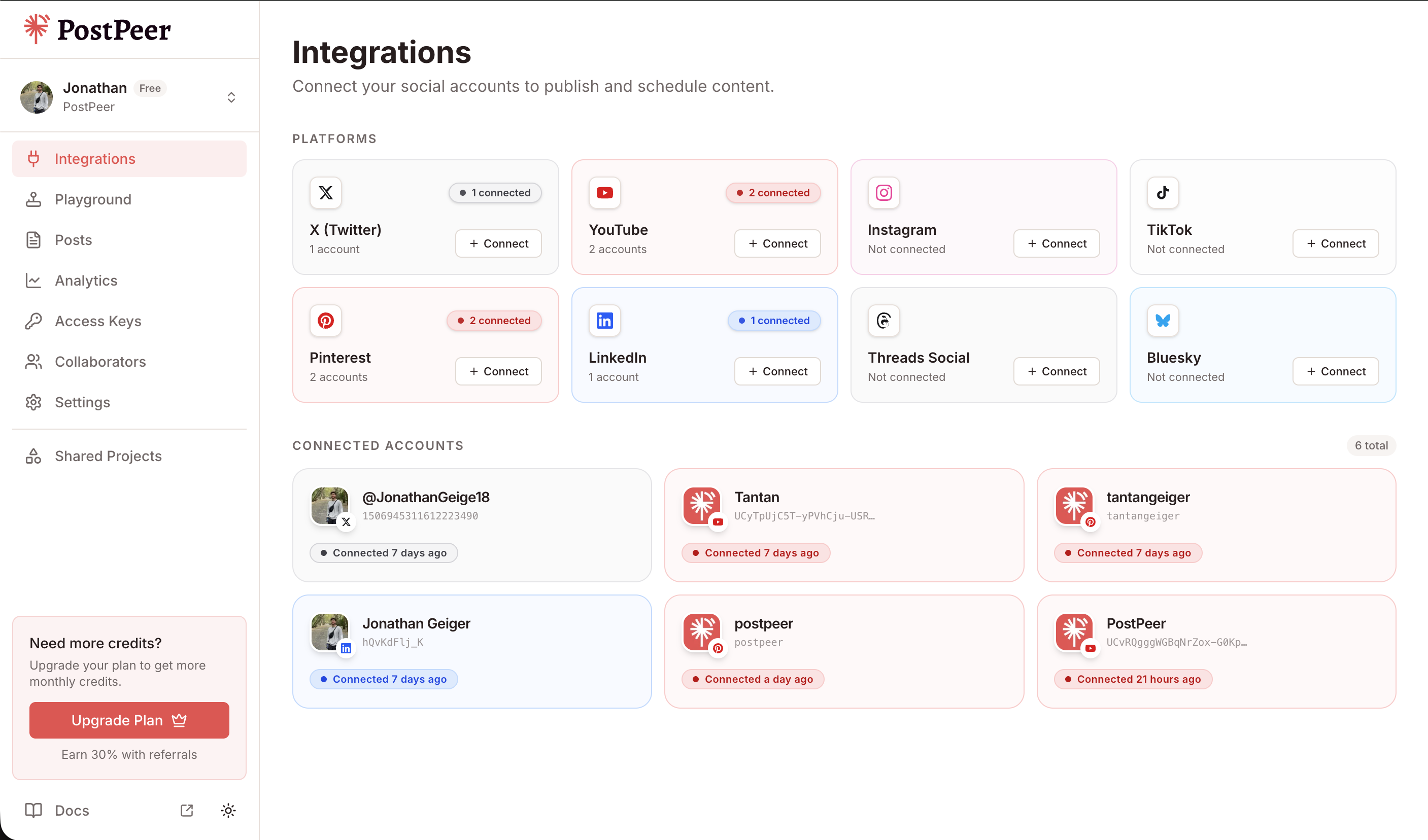
PostPeer runs the OAuth flow. Hit the connect endpoint to get an authorization URL:
curl https://api.postpeer.dev/v1/connect/threads \
  -H "x-access-key: YOUR_API_KEY"
Open the URL it returns, authorize the app, and your Threads account is linked. The permission PostPeer requests for this is threads_manage_replies, the Meta scope that covers reading and posting replies. You don't fill out any of that App Review paperwork yourself.
Then pull your account ID from the integrations endpoint:
curl https://api.postpeer.dev/v1/connect/integrations \
  -H "x-access-key: YOUR_API_KEY"
Each connected account has an id in the response. That's your accountId for every comments call. Prefer clicking a button? Do the same thing from the PostPeer dashboard.
Step 3: List replies on a Threads post
Reading replies is a GET on /v1/comments with platform=threads. Pass the postId of the thread you want to read. On Threads, the "comments" that come back are replies.
curl "https://api.postpeer.dev/v1/comments?platform=threads&accountId=your-threads-id&postId=THREAD_ID&limit=25" \
  -H "x-access-key: YOUR_API_KEY"
You get back the top-level replies plus the first level of nested replies under each one:
{
  "success": true,
  "comments": [
    {
      "id": "17901234567890123",
      "text": "This is exactly what I needed, thanks for sharing.",
      "author": { "id": "9988776655", "name": "maya.builds" },
      "timestamp": "2026-08-05T14:22:10Z",
      "likeCount": 4,
      "hidden": false,
      "replies": [
        {
          "id": "17901234567890999",
          "text": "Glad it helped!",
          "author": { "id": "1122334455", "name": "you" },
          "timestamp": "2026-08-05T14:40:02Z",
          "likeCount": 1
        }
      ]
    }
  ],
  "nextCursor": "QVFIUm..."
}
limit runs from 1 to 100 and defaults to 25. When there's more to fetch, pass the nextCursor value back as after to page through the rest. The docs for this endpoint live at list comments.
Step 4: Reply to a thread
To post a reply, it's a POST to /v1/comments. What you're replying to decides which field you send.
To reply directly under someone's thread or under an existing reply, send commentId with the ID of the thing you're replying to:
curl -X POST https://api.postpeer.dev/v1/comments \
  -H "x-access-key: YOUR_API_KEY" \
  -H "Content-Type: application/json" \
  -d '{
    "platform": "threads",
    "accountId": "your-threads-id",
    "commentId": "17901234567890123",
    "text": "Appreciate you reading it. More coming next week."
  }'
You get back the ID of the reply you just created:
{
  "success": true,
  "commentId": "17901234567891234"
}
This is the pattern for staying in a conversation. Take an id from the list call in Step 3, drop it in as commentId, and your reply lands under it.
One thing to watch: postId creates a new post
There's a catch specific to Threads. On Instagram and Facebook, POSTing with a postId adds a top-level comment to that post. Threads doesn't work that way. It has no concept of a standalone top-level comment separate from the post itself.
So on Threads, if you POST to /v1/comments with postId instead of commentId, you're creating a brand new top-level Threads post. That's Meta's model, not a PostPeer quirk. If your intent is to answer someone, always use commentId. Reach for postId only when you actually mean to publish something new.
If publishing new Threads posts is the goal, that's a different flow. Walk through it in how to post on Threads with an API.
What you can't do: delete and hide
This is the part worth reading twice. Threads does not support deleting or hiding replies through this API.
On Instagram you can hide and unhide comments, and on both Instagram and Facebook you can delete them. Threads has neither. The threads_delete permission that would allow it isn't approved by Meta, which means no third party can offer delete or hide on Threads right now, PostPeer included.
If you send a DELETE or a hide request for a Threads reply, it won't work. Reading and replying are the two operations you have. Build your moderation logic around that. When you need to make something disappear, you're doing it by hand in the Threads app, not through code.
Cost
Each call to the comments endpoints spends 1 credit, the same as every other PostPeer endpoint. Listing replies and posting a reply each count as one call, so plan your polling around your credit budget. Full breakdown is on the pricing page.
What's next
You now have the two moves Threads gives you: pull replies with GET and answer them with POST plus a commentId. Skip postId unless you mean to publish a fresh thread, and remember delete and hide aren't on the table.
Full reference lives on the Threads Comments API page, and the endpoint details are in the list comments docs.
Want to try it without writing code first? The Threads reply manager is the same API behind a UI. Good for seeing the reply flow before you wire it into your app.